182
9
Experiencing Multimedia
About the controls
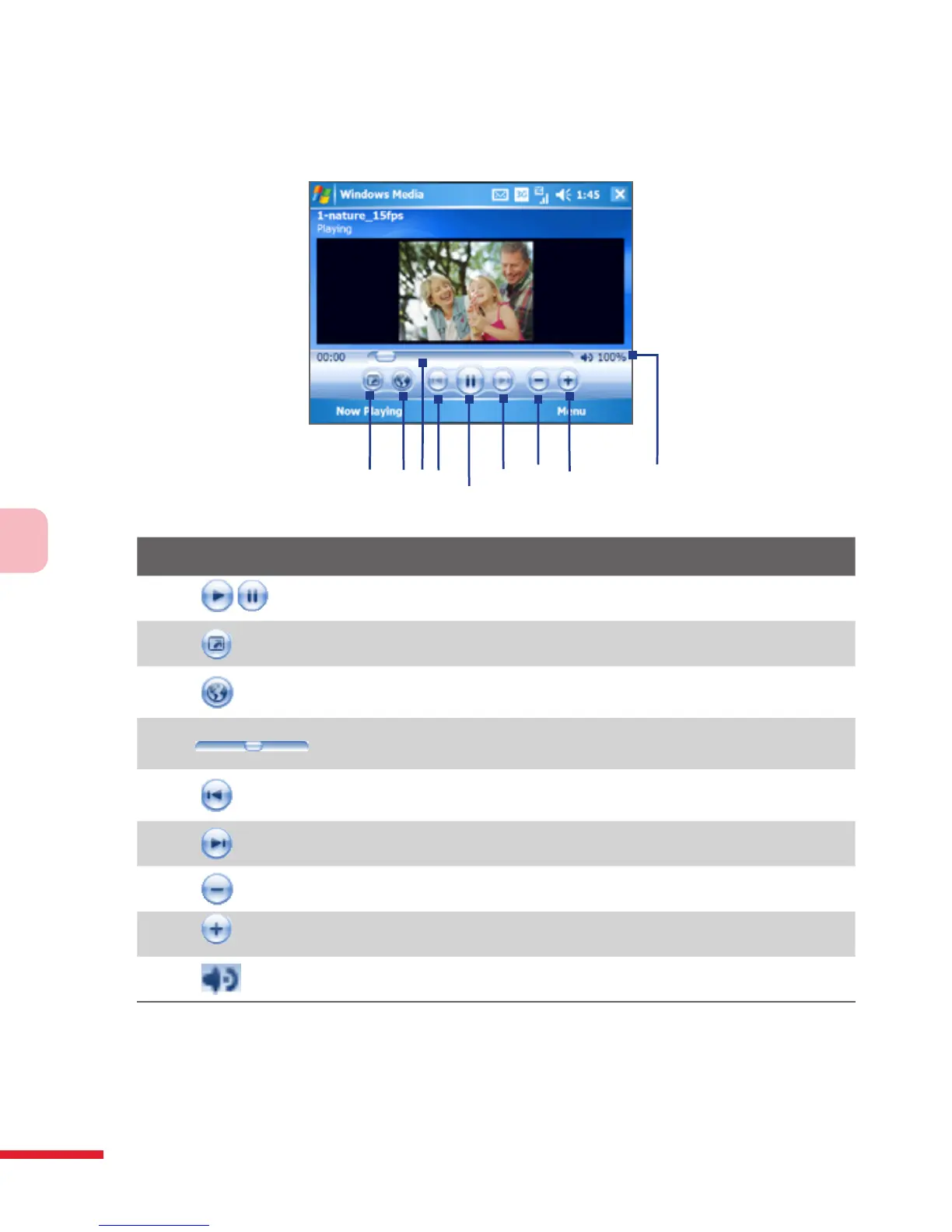
The following are available controls on the Windows Media Player Mobile.
1
2
3
5
6
7
8
4
9
This control Does this
1
Plays/Pauses a file.
2
Displays the video in full screen.
3
Displays a Web site where you can find music and videos to
play.
4
Adjusts the playback progress of a selected file.
5
Skips to the beginning of the current file or to the previous
file.
6
Skips to the next file.
7
Decreases the volume level.
8
Increases the volume level.
9
Turns the sound on or off.



 To Next Page