58
3
Using Phone Features
If the matching list is long and you want to narrow down the search further,
enter another letter. Using the same example above, if you continue to
tap “3” which is associated with [d, e, f], the matching list will be narrowed
down to the following names: “Ben Miller”, “George Adams”, “Carter, Ellen”,
“Dixon, Allan”.
Make a call or send a text message using Smart Dialing
1. Begin entering the first few numbers or characters.
2. In the Smart Dialing panel, browse the list by tapping the arrows
(
/ ) or pressing NAVIGATION up or down to select the desired
contact or phone number. When a contact is selected, it expands to
also show the corresponding phone number.
3. The highlighted item will move one line when you press NAVIGATION
up or down; the highlighted item will scroll one page when you tap
the arrows.
4. Do one of the following:
• When the correct contact is selected, tap Talk to make a voice call.
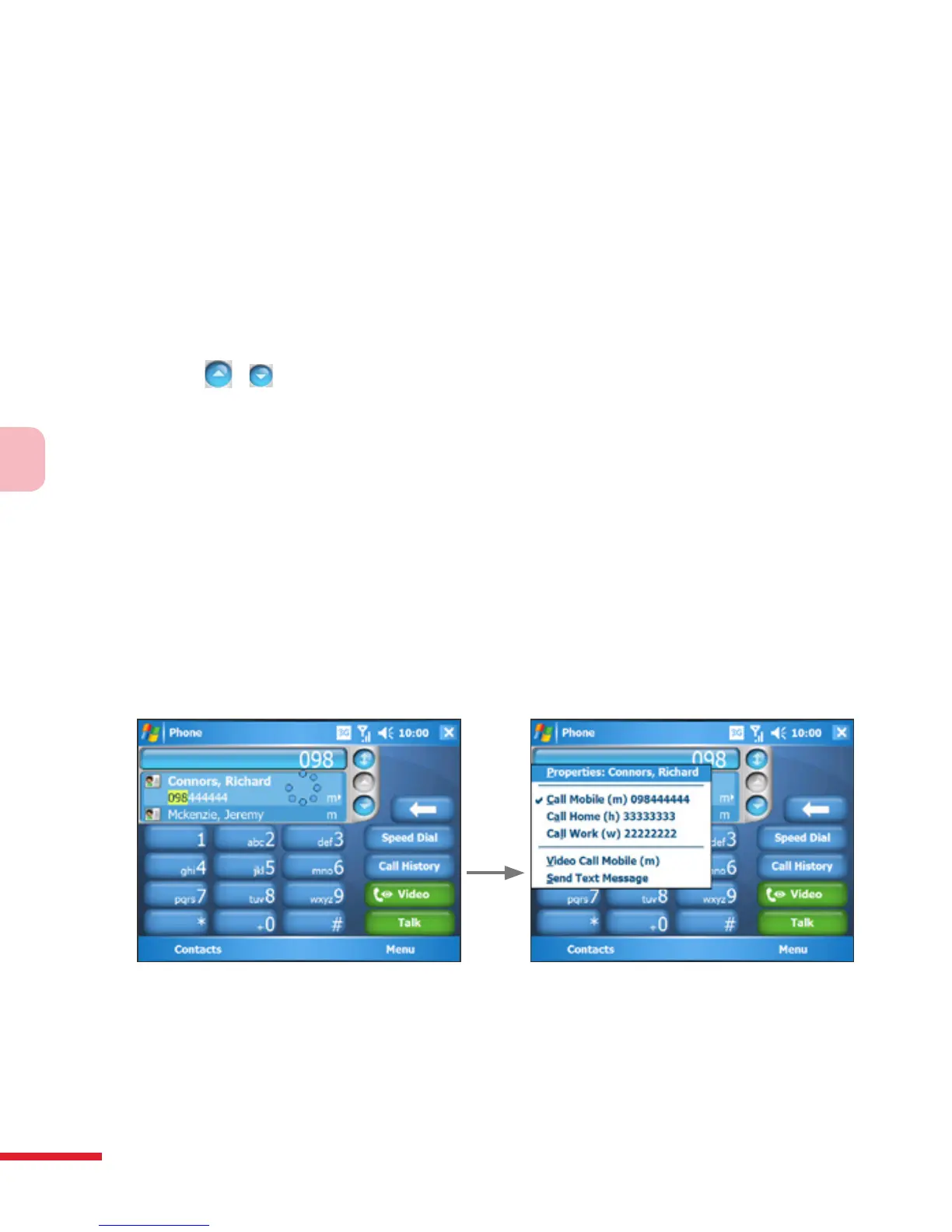
• To call a different phone number associated with the selected
contact, tap and hold the selected contact, and tap the phone
number you want to call.
Tap and hold the contact to pop up the shortcut menu
• To send a text message to the selected contact, tap and hold the
contact, and tap Send Text Message.



 To Next Page