28
1
Getting Started
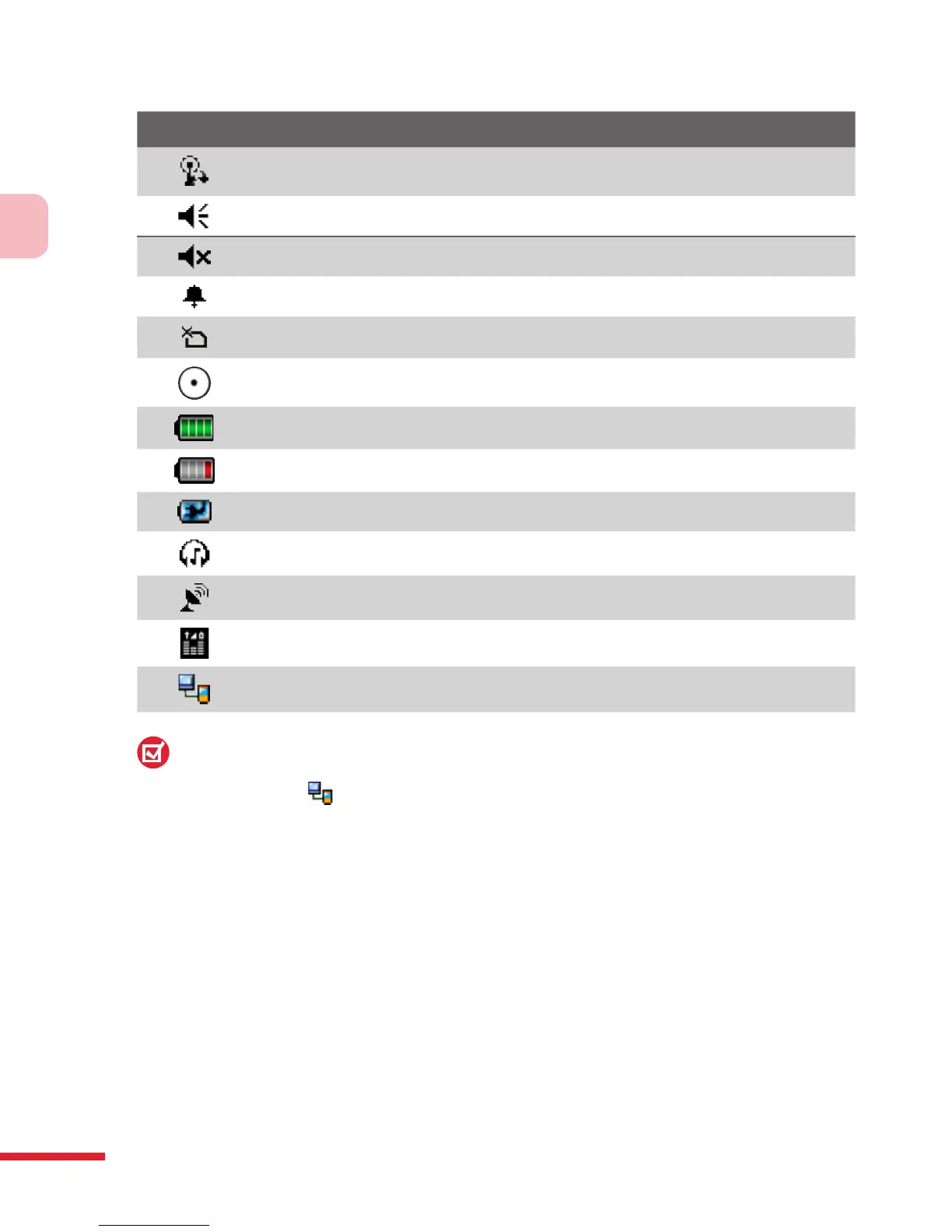
Icon Description
Synchronizing via Wi-Fi
Sound on
Sound off
Alarm
No USIM/SIM card inserted
VueFLO activated
Battery is fully charged
Battery power is very low
Battery charging
Bluetooth headset detected
QuickGPS update notification
GPRS Monitor currently active
Serial USB connection active
Note:
The USB to PC ( ) icon appears on the Today Screen when your device is
connected to your computer and you enable a serial USB connection between
them. For more information about USB to PC, see “Device Settings” later in this
chapter.
The Start menu
The Start menu, located at the top left corner of the Today screen, displays a
list of programs. You can start a program by scrolling through the programs
list and then pressing the CENTER OK button, or by tapping a program with
the stylus.



 To Next Page