74
4
Synchronizing Information and Setting Up E-mail Security
before media can be synchronized.
• Insert a storage card into your device (32MB or larger is
recommended).
• Set up a sync partnership between the storage card and Windows
Media Player Mobile.
Change Media synchronization settings
Once you select the Media information type in ActiveSync to be
synchronized, any of your favorite music, video, and picture files in Windows
Media Player playlists can be synchronized. All you have to do is set up
synchronization in Windows Media Player for those media files.
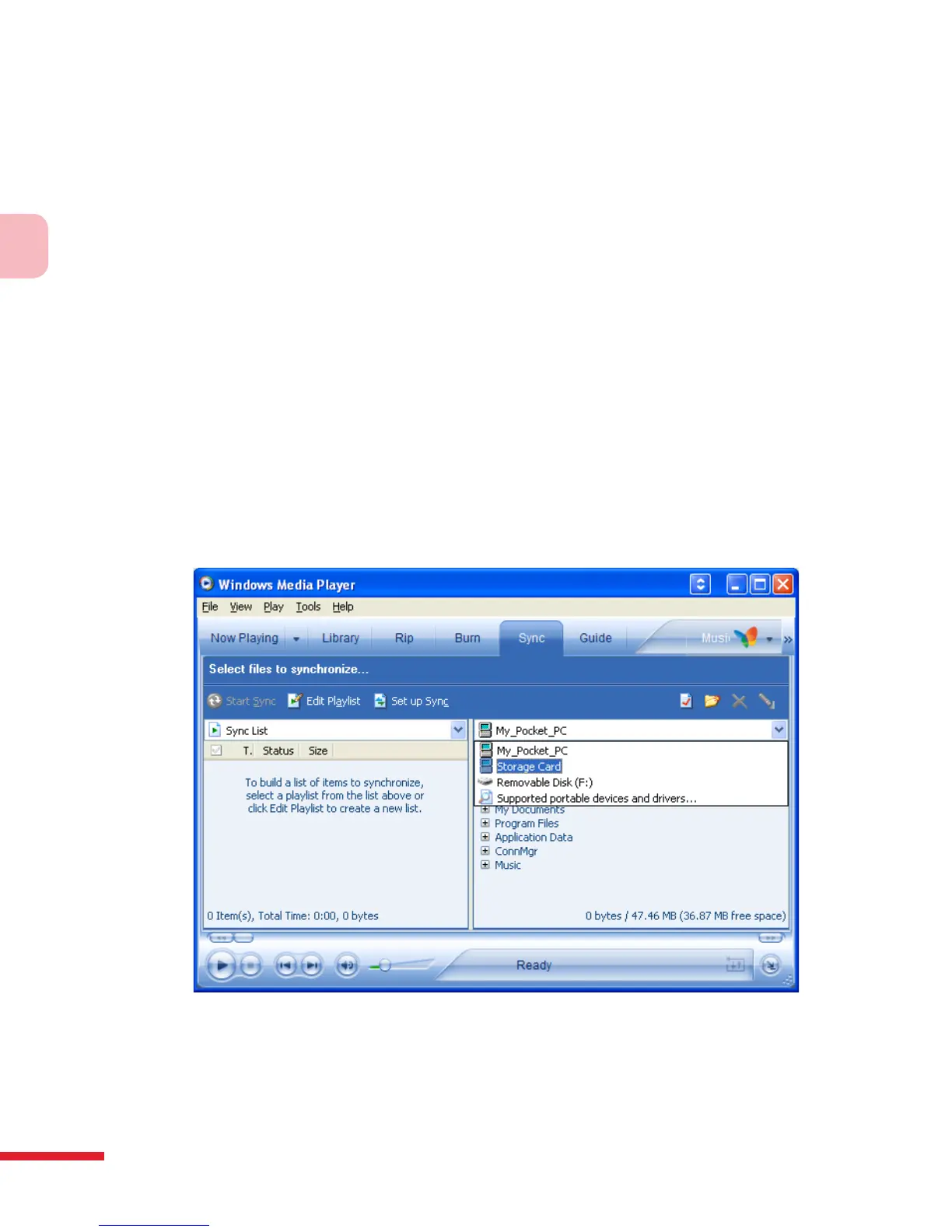
To set up a sync relationship with a storage card
1. On the computer, open Windows Media Player.
2. Click the Sync tab.
3. Select the storage card.
4. Click Set up Sync.
5. Choose whether to synchronize automatically or manually.



 To Next Page