29
1
Getting Started
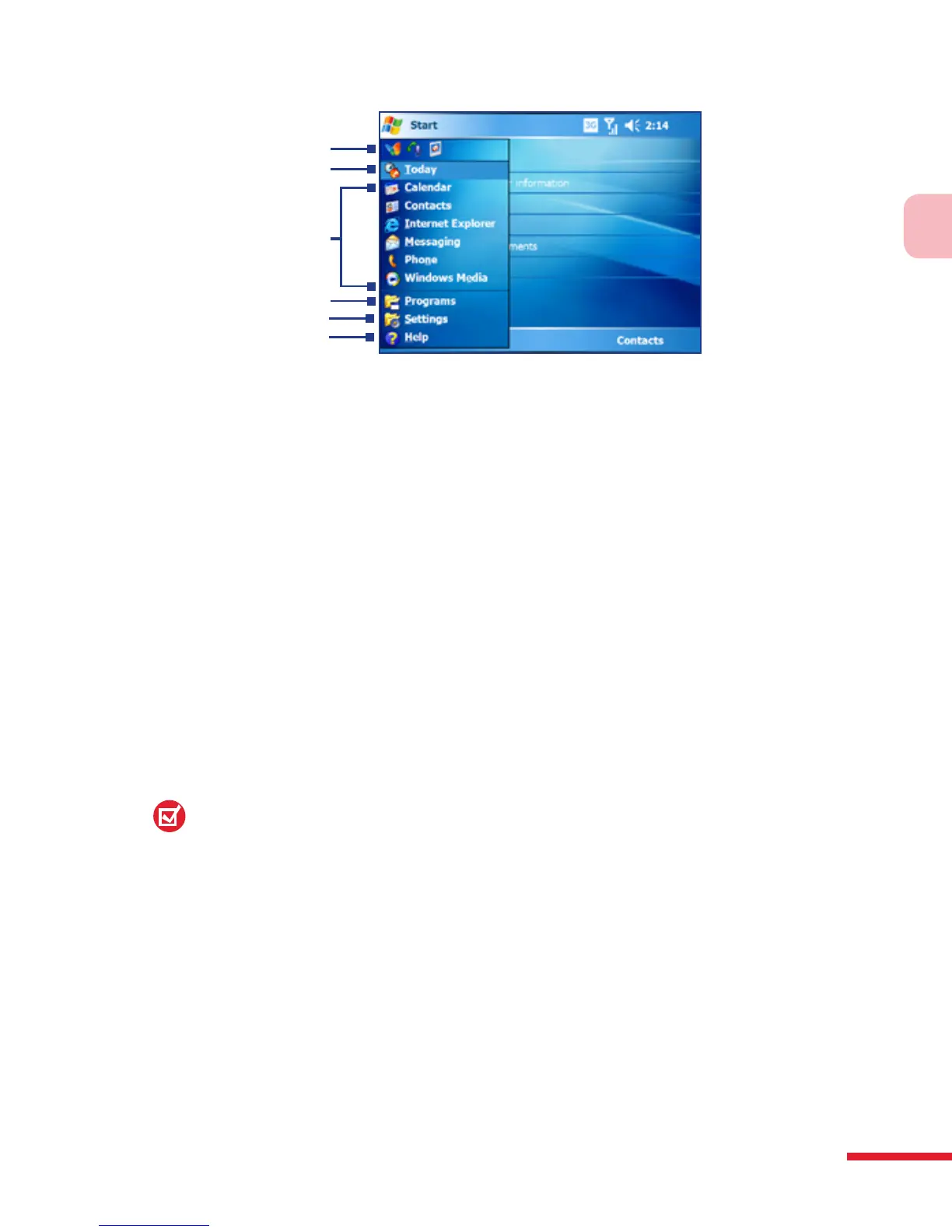
1 Tap to start a recently-used program.
2 Tap to switch to the Today screen.
3 Tap to start a program. The items displayed in the Start menu can be customized
by tapping Start > Settings > Personal tab > Menus.
4 Tap to view and select more programs that are installed on your device.
5 Tap to change device settings.
6 Tap to see a Help topic for the current screen.
1
2
5
4
6
3
1.5 The Subdisplay
The Subdisplay lets you view notifications, music info, weather, temperature
and time on a designated area on the LCD screen when the keyboard is
attached to the LCD screen of the main unit. The Subdisplay is automatically
activated when the keyboard is pressed against the LCD screen.
Note:
Weather, world time and temperature information are only available if the
WorldMate® software is installed.
For more information regarding the Subdisplay, please refer to the Quick
Start Guide.



 To Next Page