97
6
Getting Connected
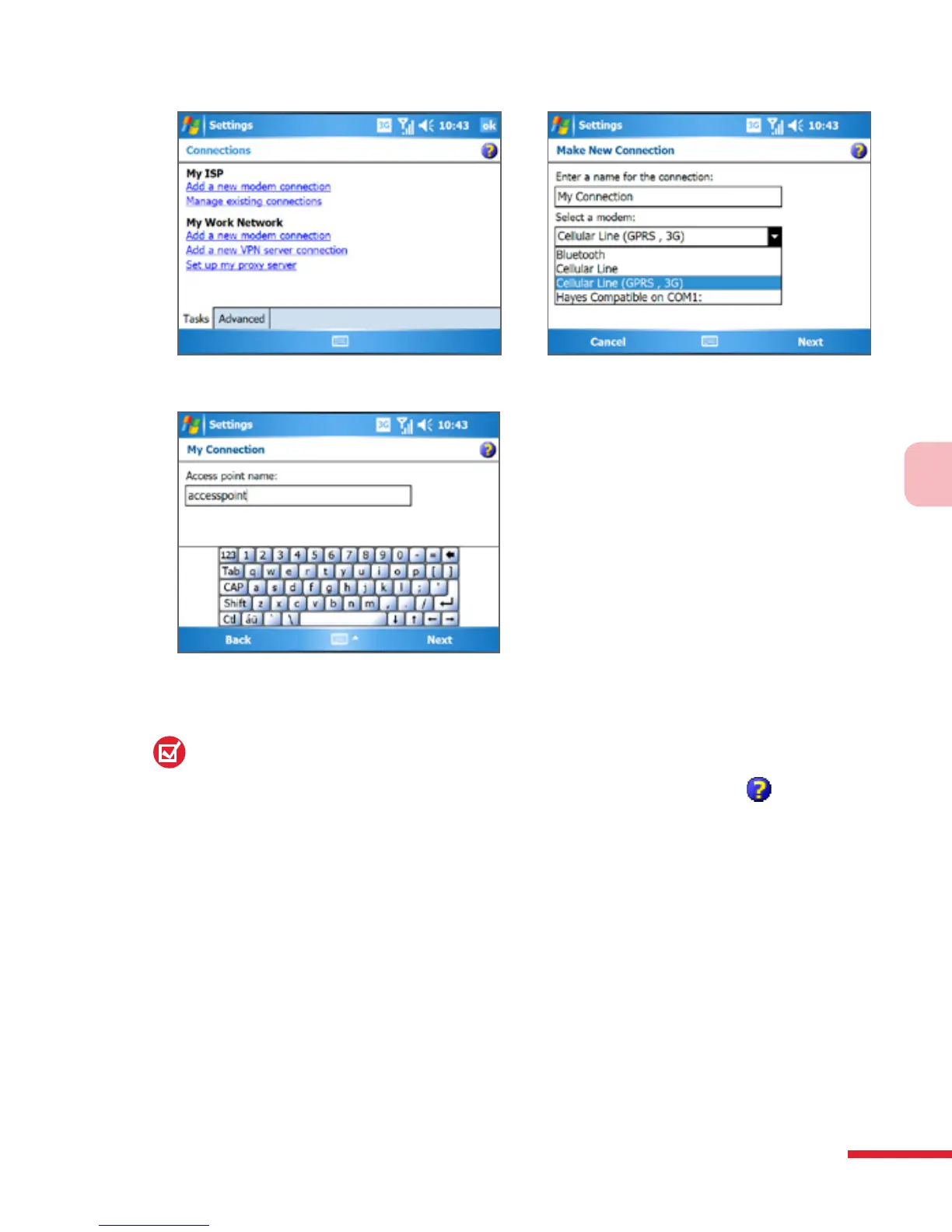
5. Enter the Access point name, then tap Next.
6. Enter the user name and password, only if required.
7. Tap Finish.
Notes:
•
To view help information for any screen, tap the help icon ( ).
•
To modify your connection settings, tap Manage existing connections
on the Connections screen, and complete the connection wizard.



 To Next Page