DORMA AUTOMATICES, Inc. 924 Sherwood Drive Toll-Free: 877-367-6211 Subject to change without notice
DL3463-050 08/2016 Lake Bluff, IL 60044 Fax: 847-249-3999
ED100 / ED250 SERVICE MANUAL
—
40
Use with hold-open devices (continued)
6. Reactivation of operator (manual reset).
This manual reset has to be effected by a user on site. It does
not matter in which way the system has been triggered.
There are several ways to reset system:
Reset by moving door:
1. Reset smoke detector (its LED is green).
2. Close door fully.
3. Open door until it has reached adjusted opening
width.
4. Release door.
Reset via program switches:
1. Reset smoke detector (LED is green).
2. Set program switches to "OFF" and then back to
previous function.
Smoke/fire doors are important for personal safety.
It is thus essential that these doors can close reliably
and without any hindrance in case of danger.
Therefore, never use additional wedges or similar
items to hold door open, as they may prevent door
from closing in case of an emergency.
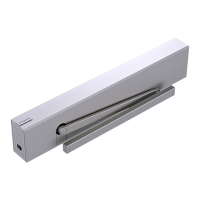
Using ED100 / ED250 operator system as a hold-open device
1. Installation of Fire Protection upgrade card enables
operator to be used as a hold-open system.
2. Operation is described in the Installation Instruction
manual, Section 16 - U, Upgrade cards.
3. Activation of hold open system is indicated by Red LED
on power switch end of operator (on steady).
Information code ln 11 is also displayed on operator two
digit display.
See Section 19, Troubleshooting chart for information on ln 11.
20 Operational topics – continued


 To Next Page