79/RT/E7900/770/E-760/660 Series PK3678_T 04-18 19
Emergency Access (Deadbolt Override)
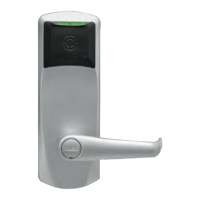
After programming turn the thumb turn to the horizontal
position to engage the Deadbolt/Privacy feature.
Deadbolt/Privacy engaged, access denied:
Enter the user code that does not have the Deadbolt/Pri-
vacy Override privilege. Instead of the normal sequence of
indicator LED with the green LED flashing once indicat-
ing a valid code, this will be followed by a single red LED
flash, indicating access denied. Turn the outside lever, latch
should not retract. Access denied. If you see only the green
LED flash once and /or the latch retracting there might be a
problem with the deadbolt/Privacy switch, or you may have
used a code with a Deadbolt/Privacy override privilege. Ver-
ify thumbturn position. It should be vertical.
Emergency access: Deadbolt/Privacy engaged, user code
with override privilege, access granted: Enter the user
code that has the Deadbolt/Privacy Override privilege. You
should see the normal sequence of indicator LED: green LED
flashes once. Turn the outside lever ,the latch and deadbolt
retracts simultaneously and fully: Access granted. If you see
the red LED and no Latch bolt retraction, verify that the
code used has the deadbolt/privacy override privilege en-
abled. Turn the thumb turn back to the vertical position if
not already so.
Deadbolt Deactivation:
A. Deadbolt Deactivation by Thumbturn
While standing inside the room, close the door and then turn
the thumbturn to extend the deadbolt. (If the lock has an
autodeadbolt mortise, go to step B below).
Turn the thumbturn to retract the deadbolt. Repeat.
B. Deadbolt Deactivation by Lever
While standing inside the room, close the door and turn the
thumbturn to the horizontal position to extend the deadbolt
(or to select privacy on autodeadbolt models). Open the
door by turning the lever. The deadbolt and the latch bolt
retract simultaneously and fully. Take note of any excess
friction, which might necessitate filing the strike (deadbolt
area only). Repeat.
8A Operating the Mechanical Override 660 Series, See Step
8 Page 23.
IMPORTANT
If the lock will not respond to any code, there are three
options that should be attempted to open the door. In order,
they are:
1. Verify the batteries, and replace them if they are providing
less than 4 Volts total. 2. Use the electronic override feature
(requires maintenance unit and communication cable).
Refer to maintenance unit user guide.
3. Contact Technical Support for instructions on using the
drill point.
8 Operating the Override 660 Series only
7 Lock Testing (660 Series only)



 To Next Page