English
Congratulations on your purchase
Easily call, send text messages and take and share pictures thanks to
widely separated, high contrast keys and a surprisingly large screen for a
phone this size. Also has Assistance button and Hearing Aid Compatibility.
For more information about accessories or other Doro products please
visit www.doro.com.
Get started
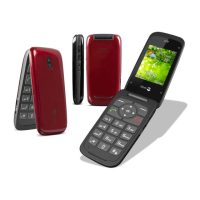
Insert SIM card, memory card and battery
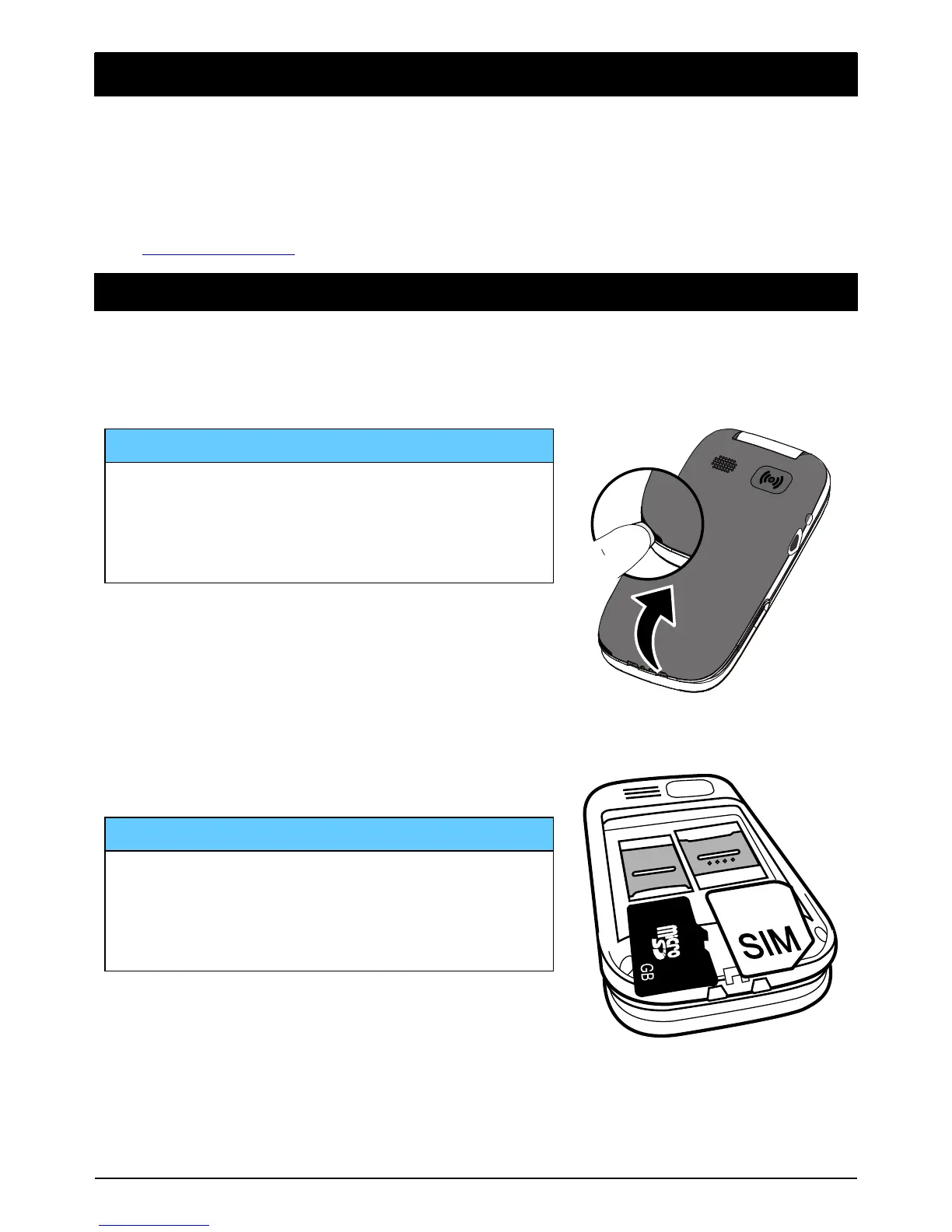
Remove the battery cover
IMPORTANT!
Be careful not to damage your
fingernails when you remove the battery
cover. Do not bend or twist the battery
cover excessively as it may be damaged.
Remove the battery if it is already installed.
IMPORTANT!
This device accepts micro SIM or 3FF
SIM card. Use of incompatible SIM cards
may damage the card or the device, and
may corrupt data stored on the card.
Note! Since the SIM card holder and the memory card holder are located
beneath the battery you need to turn off the phone to insert or remove
the cards.



 To Next Page