17
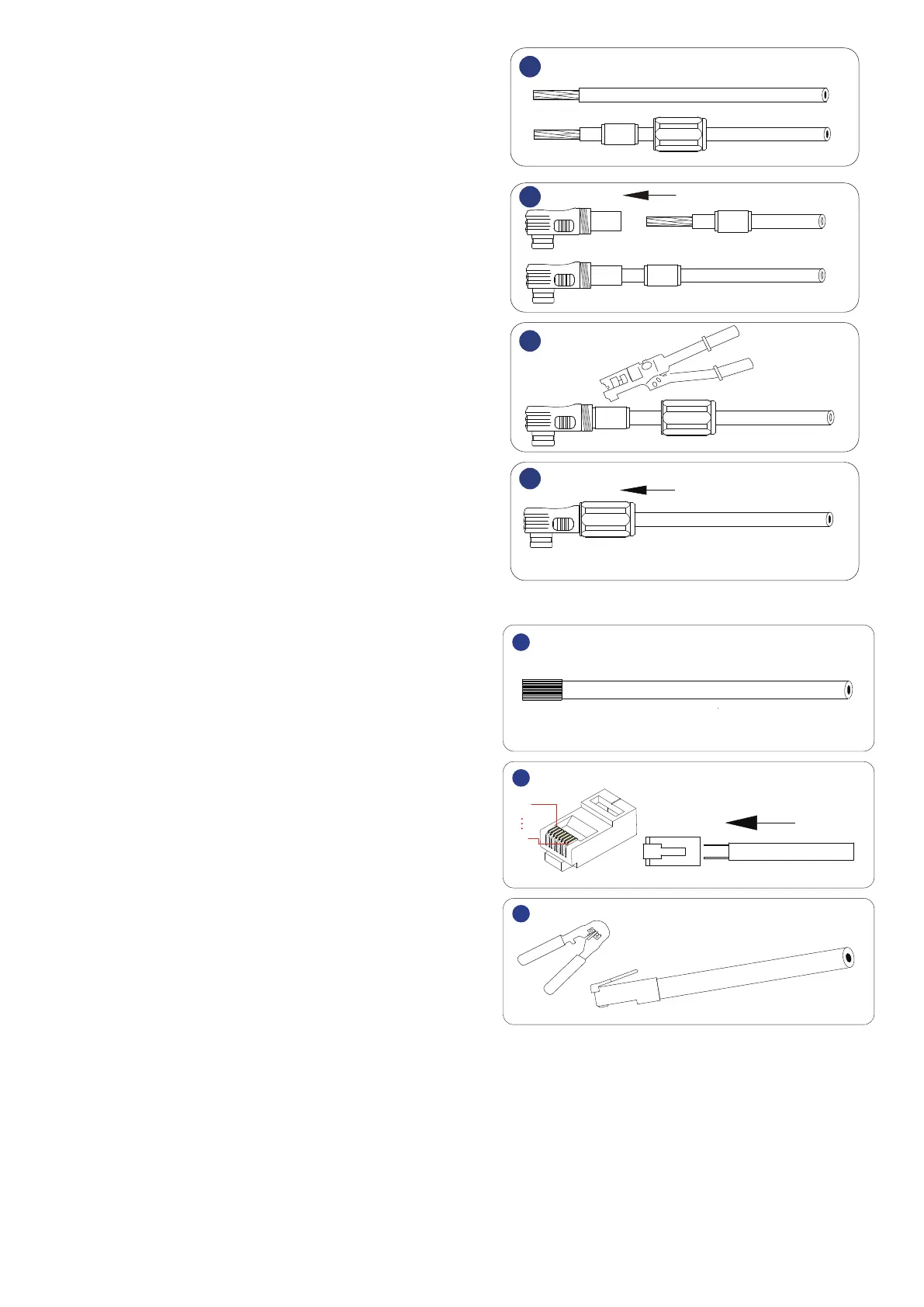
1. Strip cable sheaths for 20±0.5mm. Insert sealing and
sealing nut along the cable as shown.
Orange is for positive power connection and black is
for negative power connection.
1
2
3
4
2. Insert the copper wires into the joint sleeve.
3. Press connecting part with a hydraulic clamp.
4. Tighten up sealing, sealing nut and joint sleeve.
Step 2.Make Network Cable A.
1. Strip cable sheaths for 15±0.5 mm
first.
Network Cable A
1
2
3
1
8
RJ45 plug
Wire crimper
2. Insert eight wires into an RJ45 plug at one end of
network cable A. Ensure all wires stay well aligned.
3. Crimp the RJ45 plug with a wire crimper.


 To Next Page