22
8 Maintenance
Prepare tools like safety gloves, cross-head screwdriver and socket wrench.
CAUTION
Only professionals can conduct the battery maintenance.
8.1 Replace Battery
• Ensure undamaged appearance and complete accessories of new battery.
• Do not change battery in rainy or stormy days.
• Turn on the breaker and power off old battery;
• Confirm wire connection of new battery, close breaker and power on new battery
When a battery is faulty or reaches its EOL, you might need to replace it with another one.
1. Wear safety gloves.
2. Turn on the breaker, and hold the POWER button for three seconds to power off battery.
3. Unplug power cables and network cables from battery terminals.
4. Loosen the screws the battery from the bracket.
5. Install a new battery.
8.2 Upgrade Firmware
Step 1.Install the BMS PC software.
1. Choose file BMS Installation package.zip and decompress it.
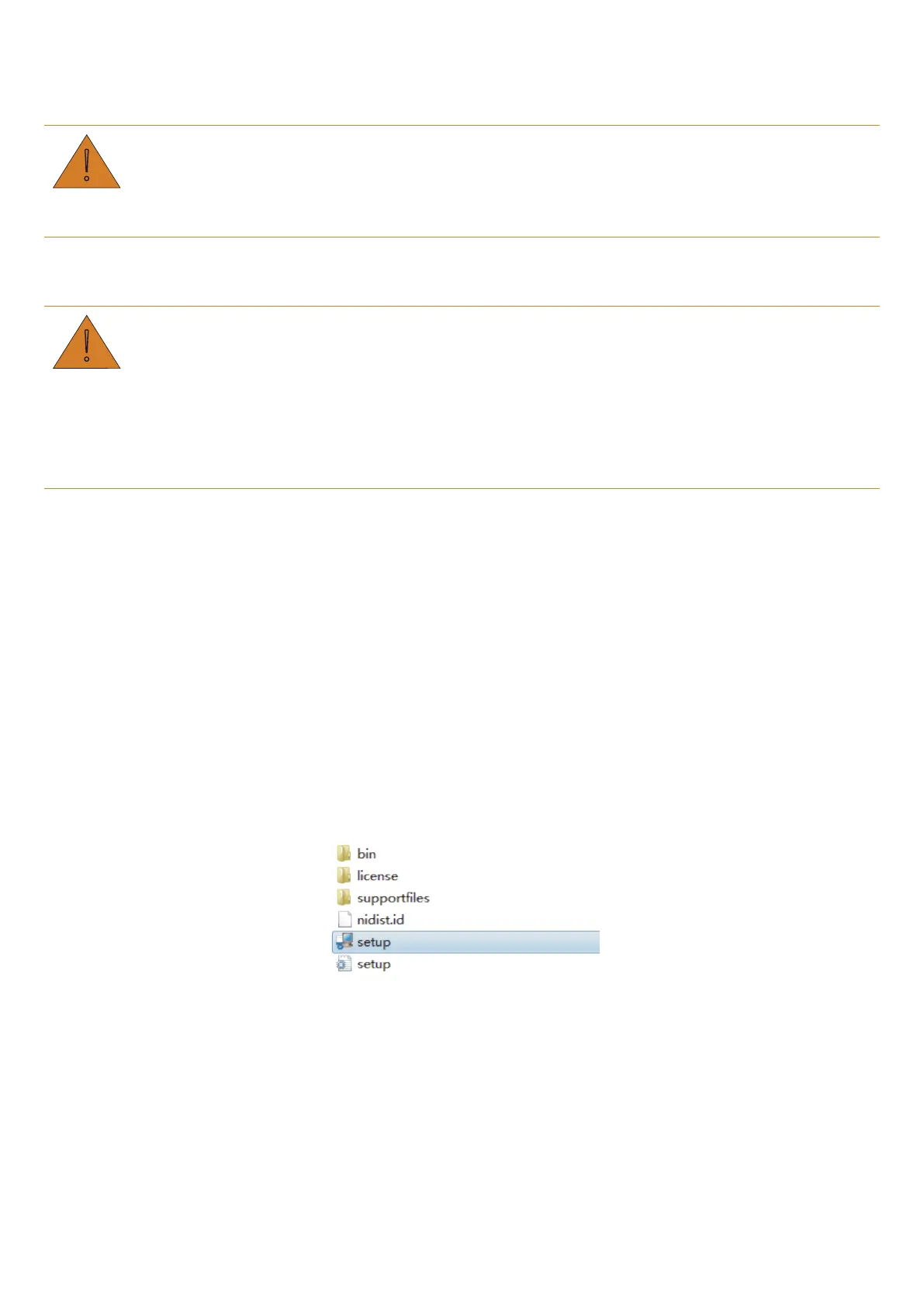
2. Enter BMS Installation package\Volume and
double
-click setup.exe.
3. Keep the default configurations until completing the installation.
Step 2.Make sure the battery stays in IDLE mode or battery relays cut off.
Step 3.Connect computer and the PCS network port on
battery with CANalyst-II.
Step 4.Perform upgrade.
1. Click Upgrade in the main menu of the BMS PC software.


 To Next Page