Contents
About This Document ............................................................................................................................................... 1
1 Important Safety Information ................................................................................................................................ 2
1.1 Warning Label ........................................................................................................................................2
1.2 Precautions .............................................................................................................................................2
2 Overview.................................................................................................................................................................. 4
2.1 Application Scenarios .............................................................................................................................4
2.2 Product Features ....................................................................................................................................4
2.3 Appearance and Terminals .....................................................................................................................5
2.4 Technical Parameters .............................................................................................................................6
5.3 Wall-mounted installation under Parallel Mode
....................................................................................
11
5.4 Installation of Battery Box
.....................................................................................................................
12
5.5 Junction Box InstallationJunction Box Installation
.................................................................................
14
3 Battery Storage and Transportation ..................................................................................................................... 8
3.1 Safe Storage ...........................................................................................................................................8
3.2 Safe Transportation ................................................................................................................................8
4 Tools and Protective Equipment ........................................................................................................................... 9
5 Installation............................................................................................................................................................. 10
5.1 Inspection before Installation ................................................................................................................10
5.2 Battery Orientation ................................................................................................................................10
6 Electrical Connection ...........................................................................................................................................16
6.1 Power Terminals and Network Ports.....................................................................................................16
6.2 Prepare Cables .....................................................................................................................................16
6.3 Connect One Battery ............................................................................................................................18
6.4 Connect Batteries in Parallel ................................................................................................................19
7 Operation............................................................................................................................................................... 21
7.1 Power on Battery ..................................................................................................................................21
7.2 Power off Battery ..................................................................................................................................21
8 Maintenance .......................................................................................................................................................... 22
8.1 Replace Battery ....................................................................................................................................22
8.2 Upgrade Firmware ................................................................................................................................22
8.3 Troubleshooting ....................................................................................................................................24
9 Product Liability ................................................................................................................................................... 25
10 Recycle ................................................................................................................................................................ 26
5
Detect the voltage and temperature of cell, the voltage and current of battery.
• SOC estimate:
Indicate the precise volume of remaining electricity.
• Alarm:
Alarm when overvoltage, under voltage, overcurrent, over temperature or under temperature occurs.
• Protection:
Protect against over voltage, under voltage, over current, over temperature, under temperature, cell fault
and hardware failure.
• Report:
Report alarm messages and operation data to PCS via CAN network ports.
• Parallel connection:
Support a maximum of 6 batteries in parallel connection.
• Power-off triggered by fault:
%DWWHU\SRZHUVRႇLIOHYHOWKUHHXQGHUYROWDJH9FHOORUSDUDOOHOFRQQHFWLRQIDLOXUHKDSSHQV
• Forced power-off:
When battery does not connect to mains supply, hold POWER button for two seconds and battery powers
Rႇ
• Activation:
,QSXW9a9YLD33WHUPLQDOVEDWWHU\ZLOOEHDFWLYDWHGIURPRႇPRGHWRVWDQGE\VWDWXV
2.3 Appearance and Terminals
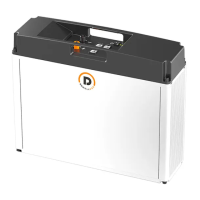
The battery is an energy storage unit composed of cells, mechanical parts, battery management system (BMS)
as well as power and signal terminals.
Table 2-1 Mechanical features
Parameter Value
Dimension W445*D131*H399.6 mm
Weight Around 29kg
Installation Rack-mounted installation or Wall-mounted bracket installation
445
399.6
131
3
4
5
1
2
6
78
6
Table 2-2 Ports and terminals
No. Label Name
1 Link-Out Output network port for parallel connection
2+ Positive power terminal
3- Negative power terminal
4 Link-In Input network port for parallec connection
5 PCS Network port for communication with PCS
6 POWER POWER button
7 SOC indicator
8 R/A Running/Alarm indicator
Table 2-3 LED indicators
Status SOC Indication LED1 LED2 LED3 LED4 LED5
Charging 0%-25.0% SOC
Ƶ ƽ
25.1%-50.0% SOC
ƵƵ ƽ
50.1%-75.0% SOC
Ƶ ƵƵ ƽ
75.1%-99.9% SOC
Ƶ ƵƵ Ƶ ƽ
100% SOC
ƽ ƽƽ ƽ ƽ
Discharging & Standby 100%-75.1%
ƽ ƽƽ ƽ ƽ
75.0%-50.1%
ƽ ƽƽ ƽ
50.0%-25.1%
ƽƽ ƽ
25.0%-0%
ƽ ƽ
ƾ
: Blue LED Blink
ƽ
: Blue LED On
Ƶ
: Blue LED flash display
2.4 Technical Parameters
No. Items Specifications
1 Nominal Voltage (V) 51.2V
2 Total Capacity/Energy 64Ah/3.3kWh
3 Usable/Rated Capacity/Energy 58.6Ah/3.0kWh
4 Operating Voltage 44.8 ~ 57.6V
5 Max
.
Charging Current &7&$
&7&$
&7&$
&7&$
&7&$
&7&$


 To Next Page
 Loading...