21
7 Operation
!
W
When operating or maintain the battery module, please strictly follow the safety instruction below:
• You must be a technician who goes through technical training and obtains certificates in compliance
with local laws and regulations.
• Please stand on dry insulating objects and do not wear metal objects such as watches, rings and
necklaces during operation.
• Use insulating tools and wear protective devices
.
• Do not contact with two charged positions with a potential difference.
• Hang a prohibition sign that stop people approaching the equipment.
• Measure battery voltage with a multi-meter and ensure voltage output under off mode is 0V.
• If any abnormality is detected, immediately power off the battery. Proceed again only after causes are
confirmed.
7.1 Power on Battery
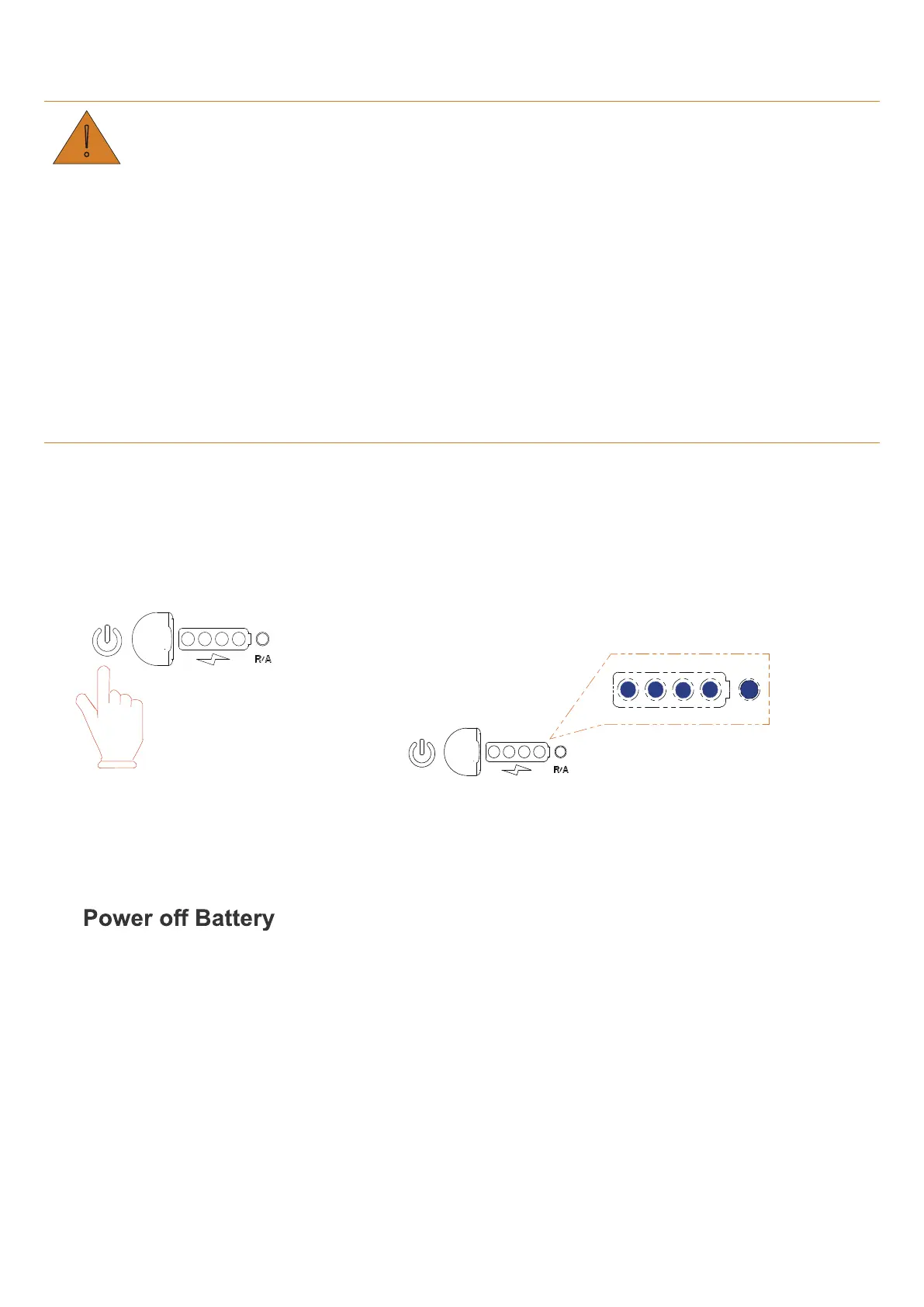
The battery can be powered on by either charging voltage or the POWER button.
• Supply a charging voltage ranging from 33V to 60V, and battery(s) powers on.
• Hold the POWER button for three seconds.
Hold for three seconds
If the SOC indicators turn on and the RUN indicator flickers for five times, batteries are powered on
successfully and the communication between batteries works.
If the ALM light of one battery turns on (LED5 in red), there is a parallel connection failure and should be
fixed before powering on batteries again.
7.2
• Hold the POWER button of any battery for three seconds.
Five LED lights will flicker for three times, and battery
turns off.
• Turn off the PCS, and the battery is powered off too.


 To Next Page