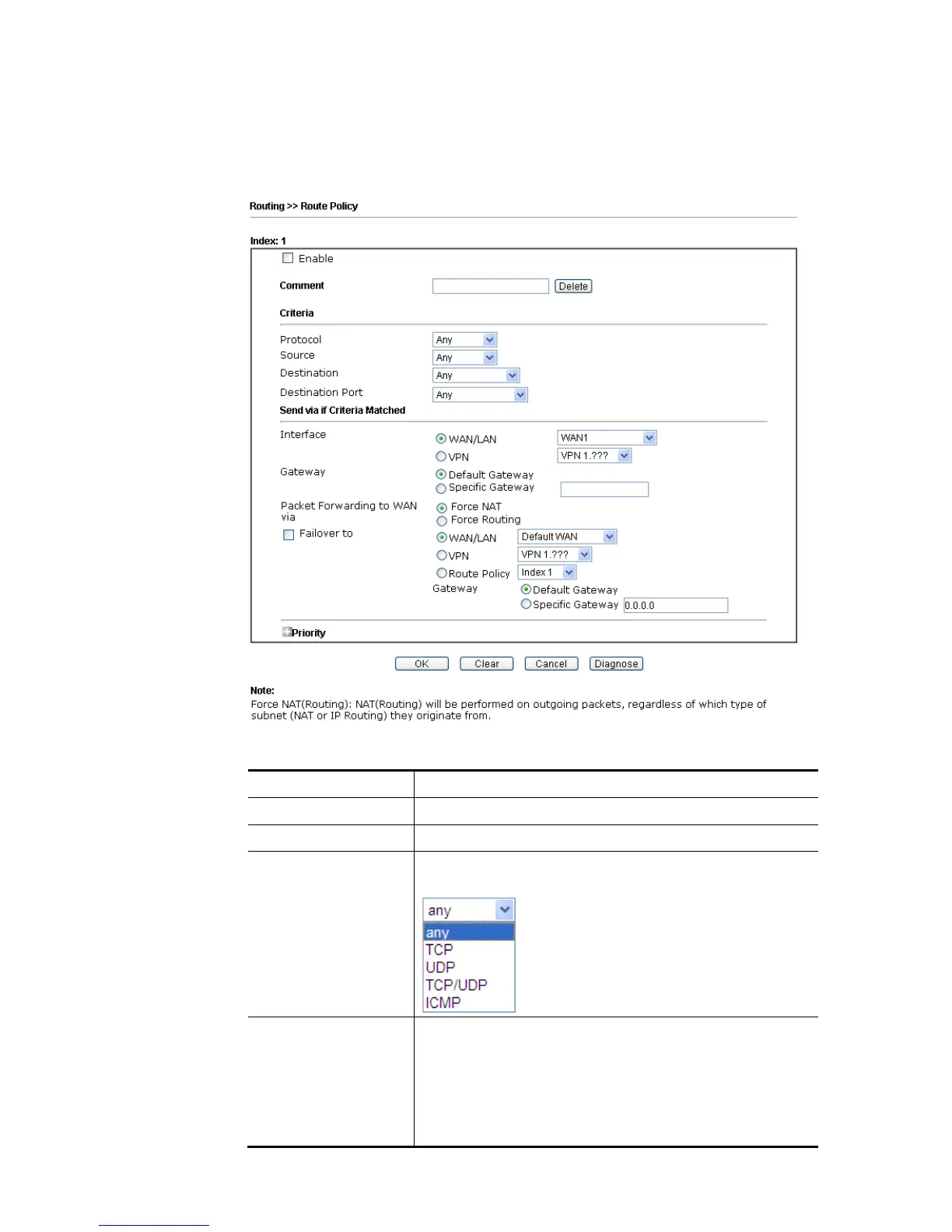
To use Advance Mode, do the following steps:
1. Click the Advance Mode radio button.
2. Click any Index number link (e.g., 1 in this case) to access into the following page.
Available settings are explained as follows:
Item Description
Enable Check this box to enable this policy.
Comment Type a brief explanation for such profile.
Protocol Use the drop-down menu to choose a proper protocol for
the WAN interface.
Source / Destination Any – Any IP can be treated as the source / destination IP.
IP Range – Define a range of IP address as source /
destination IP addresses.
Start - Type an address as the starting IP for such
profile.
End - Type an address as the ending IP for such profile.















 To Next Page