A
A
-
-
2
2
H
H
o
o
w
w
t
t
o
o
c
c
r
r
e
e
a
a
t
t
e
e
G
G
o
o
o
o
g
g
l
l
e
e
A
A
P
P
P
P
f
f
o
o
r
r
W
W
e
e
b
b
P
P
o
o
r
r
t
t
a
a
l
l
A
A
u
u
t
t
h
h
e
e
n
n
t
t
i
i
c
c
a
a
t
t
i
i
o
o
n
n
?
?
The new web portal feature support social login as authentication method, and allows
network administrator to authenticate LAN clients by their Google or Facebook account. This
document introduces how to create Facebook APP, and generate the APP ID and APP secret
that can be used in Web Portal setup.
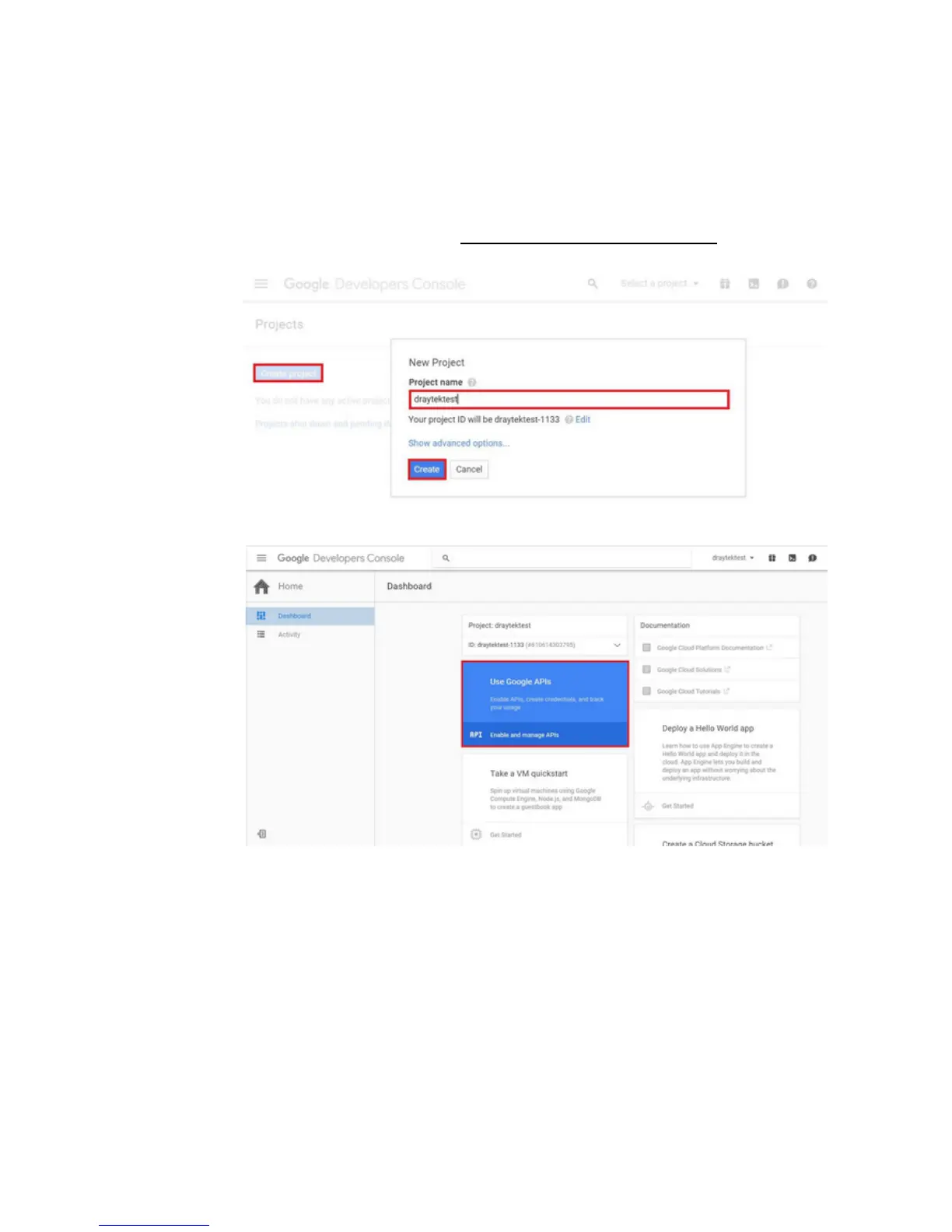
1. Create Developer project. Go to https://code.google.com/apis/console
, login with a
Google account then click Create project. Type project name then click Create.
2. On Dashboard, choose Use Google APIs.
3. Edit Auth Consent screen. Go to Credentials > Auth consent screen. Enter your email,
product name and other optional item then click on Save.















 To Next Page