Vigor2133 Series User’s Guide
351
W
W
e
e
b
b
U
U
s
s
e
e
r
r
I
I
n
n
t
t
e
e
r
r
f
f
a
a
c
c
e
e
Below shows the menu items for Bandwidth Management.
V
V
I
I
-
-
2
2
-
-
1
1
S
S
e
e
s
s
s
s
i
i
o
o
n
n
s
s
L
L
i
i
m
m
i
i
t
t
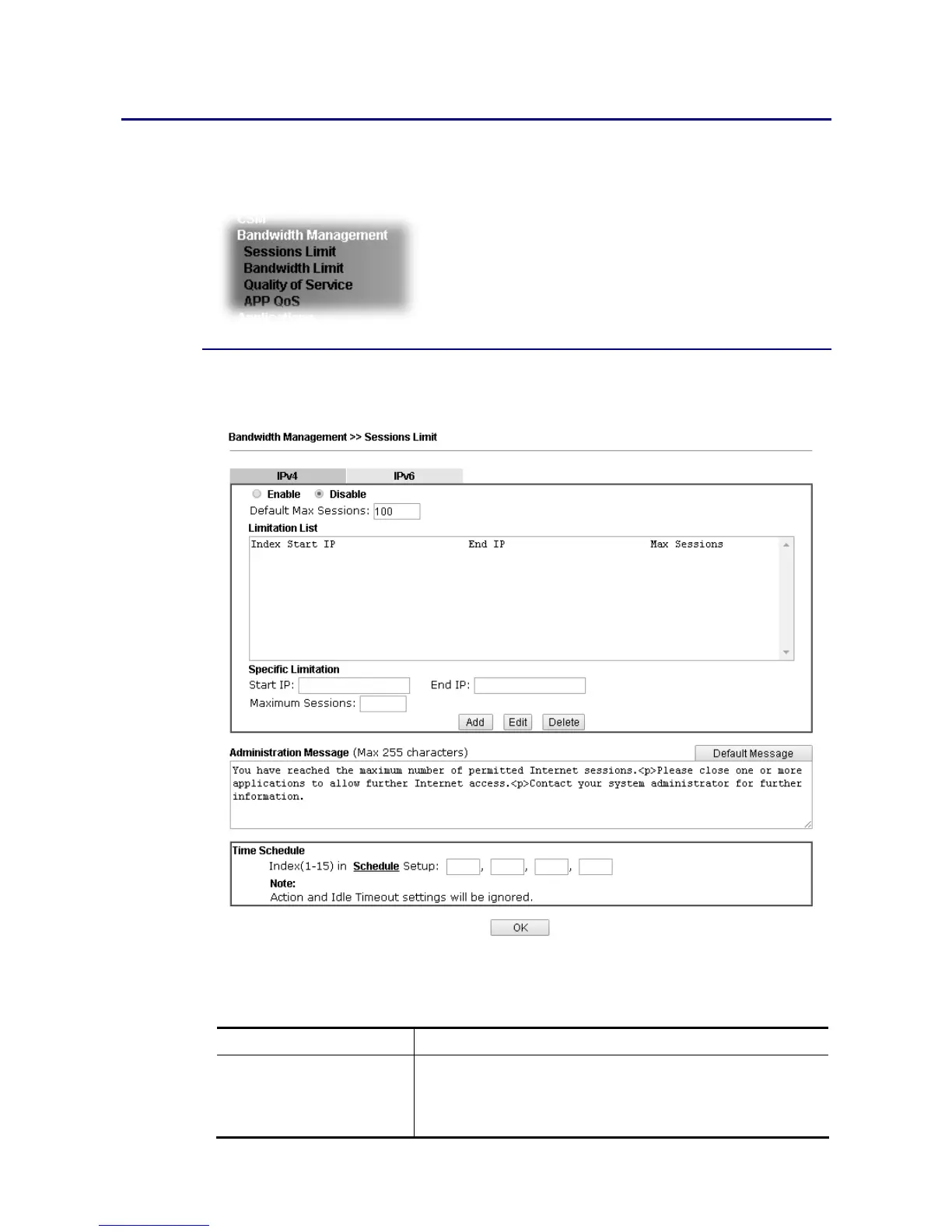
In the Bandwidth Management menu, click Sessions Limit to open the web page.
To activate the function of limit session for IPv4 and/or IPv6, simply click Enable and set the
default session limit.
Available settings are explained as follows:
Item Description
Session Limit Enable - Click this button to activate the function of limit
session.
Disable - Click this button to close the function of limit
session.















 To Next Page