Vigor2133 Series User’s Guide
193
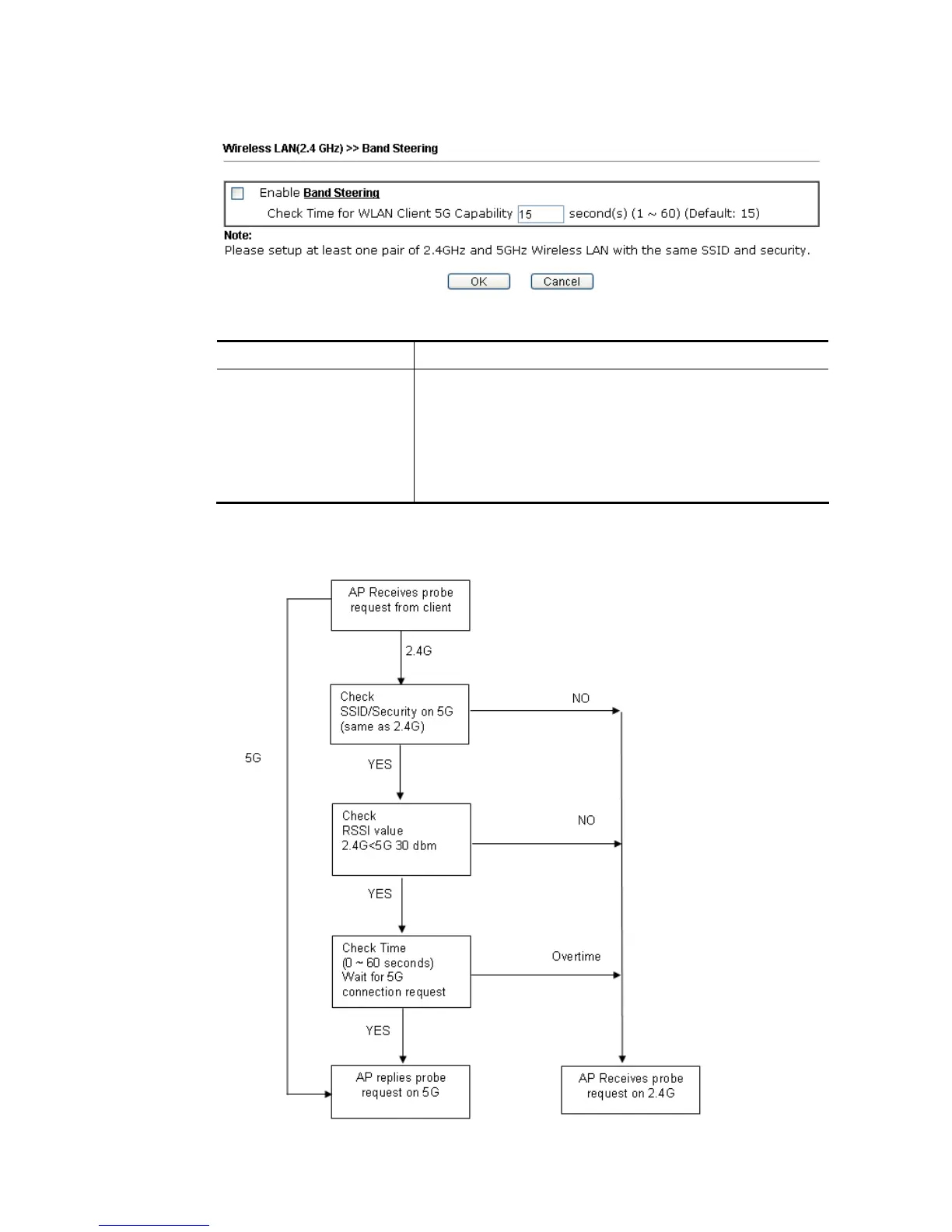
Open Wireless LAN (2.4GHz)>>Band Steering to get the following web page:
Available settings are explained as follows:
Item Description
Enable Band Steering If it is enabled, Vigor router will detect if the wireless client
is capable of dual-band or not within the time limit.
Check Time…. – If the wireless station does not have the
capability of 5GHz network connection, the system shall wait
and check for several seconds (15 seconds, in default) to
make the 2.4GHz network connection. Specify the time limit
for Vigor router to detect the wireless client.
After finishing this web page configuration, please click OK to save the settings.
Below shows how Band Steering works.















 To Next Page