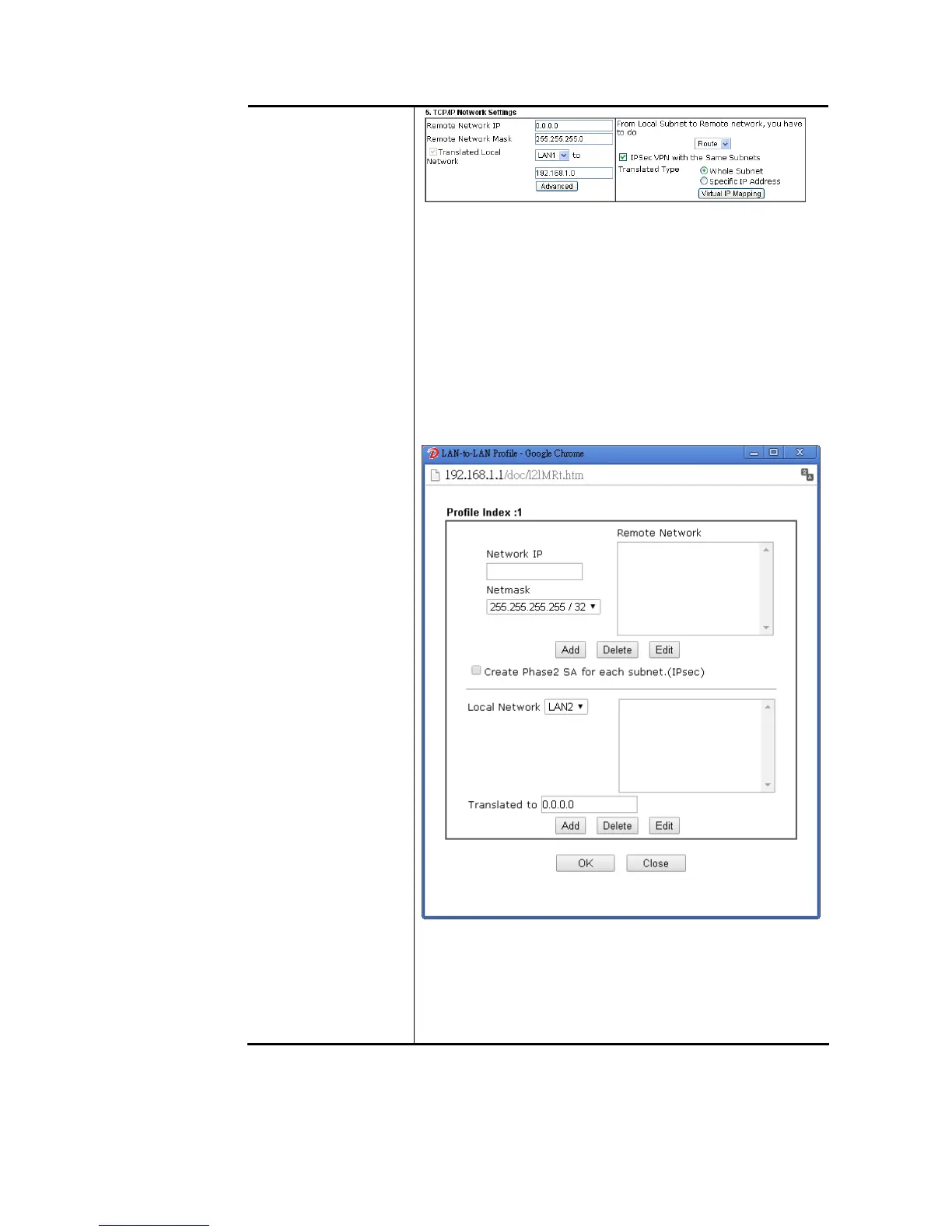
Remote Network IP/ Remote Network Mask - Add a static
route to direct all traffic destined to this Remote Network IP
Address/Remote Network Mask through the VPN connection.
For IPSec, this is the destination clients IDs of phase 2 quick
mode.
Translated Local Network – This function is enabled in
default. Use the drop down list to specify a LAN port as the
transferred direction. Then specify an IP address. Click
Advanced to configure detailed settings if required.
Advanced – Add a static route to direct all traffic destined to
more Remote Network IP Addresses/ Remote Network Mask
through the VPN connection. This is usually used when you
find there are several subnets behind the remote VPN router.
Translated Type – There are two types for you to choose.
Whole Subnet
Specific IP Address
Virtual IP Mapping – A pop up dialog will appear for you to
specify the local IP address and the mapping virtual IP
address.















 To Next Page