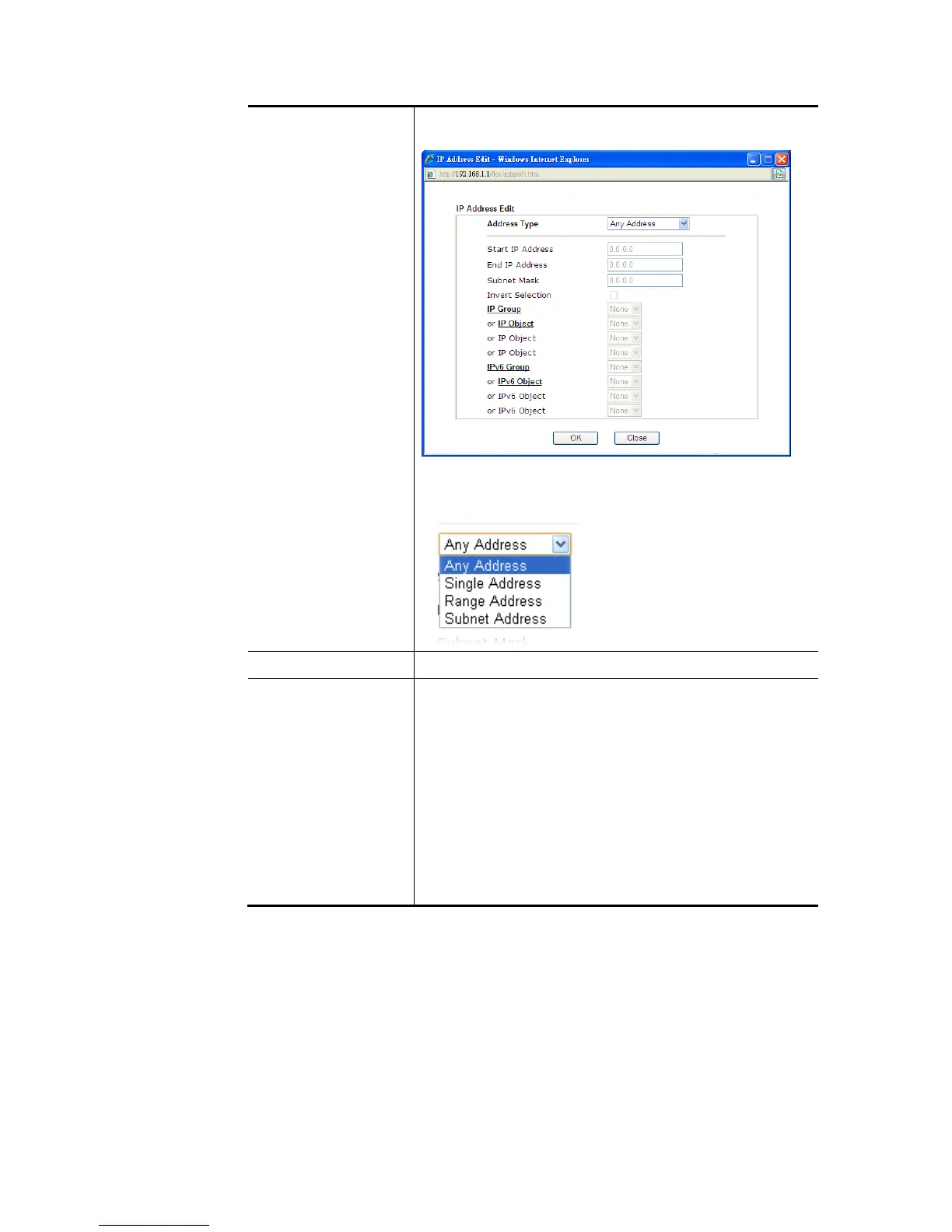
Click Edit to access into the following dialog to choose the
source/destination IP or IP ranges.
To set the IP address manually, please choose Any
Address/Single Address/Range Address/Subnet Address as
the Address Type and type them in this dialog.
Protocol Specify the protocol(s) which this filter rule will apply to.
Source Port /
Destination Port
(=) – when the first and last value are the same, it indicates
one port; when the first and last values are different, it
indicates a range for the port and available for this service
type.
(!=) – when the first and last value are the same, it
indicates all the ports except the port defined here; when
the first and last values are different, it indicates that all
the ports except the range defined here are available for
this service type.
(>) – the port number greater than this value is available.
(<) – the port number less than this value is available for
this profile.
3. Click Next to get the following page.















 To Next Page