Vigor2133 Series User’s Guide
275
Dst IP Type the IPv4/IPv6 address of the packet’s destination.
Dst Port Type the port number of the packet’s destination.
Packet & Payload In firewall diagnose, two packets belong to one connection.
In general, two packets are enough for Vigor router to
perform this test.
Enable – Check the box to send out the test packet.
Direction – The first packet of the firewall test will follow
the direction specified above. However, the direction for
the second packet might be different. Simply choose the
direction (from Computer A to B or from the B to A) for the
second packet.
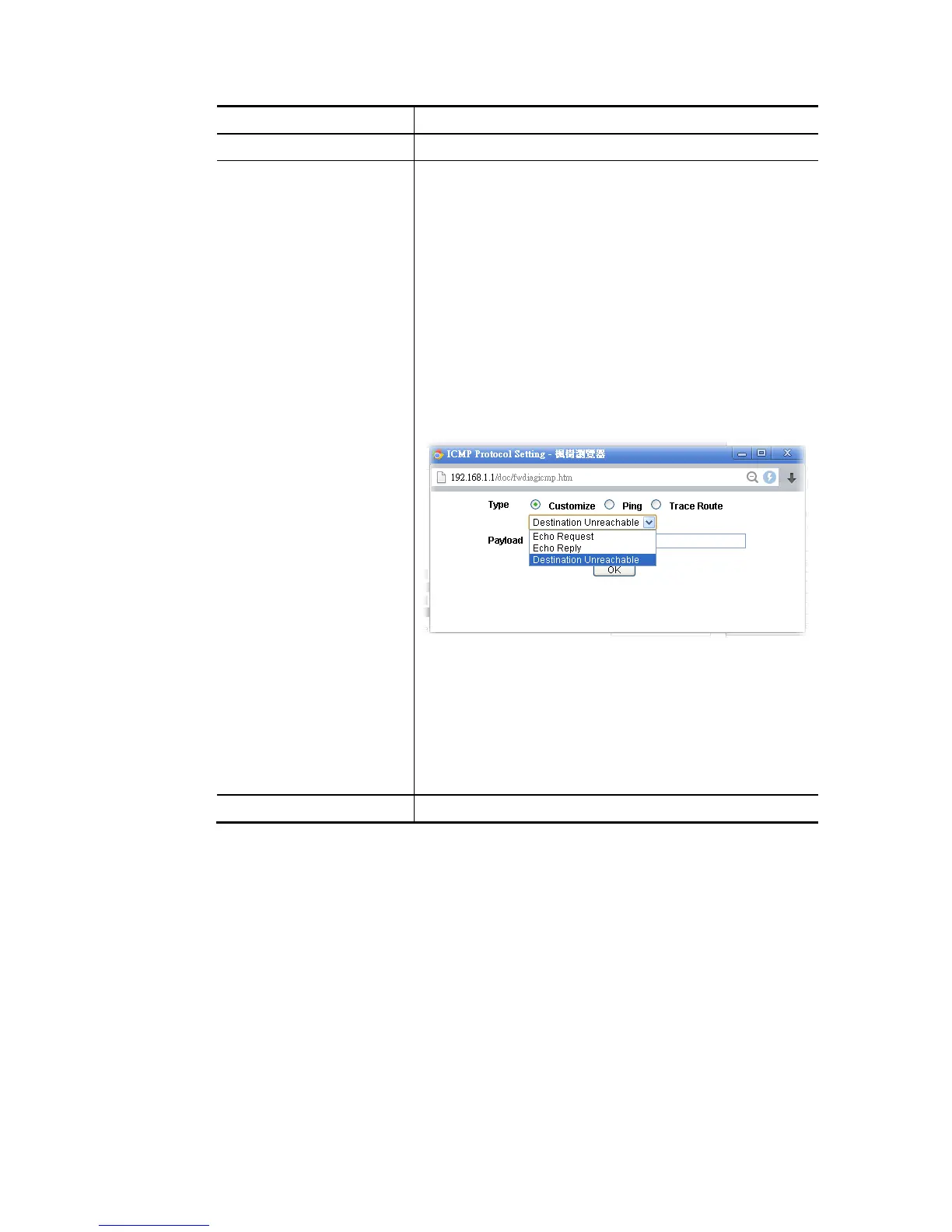
Protocol – It displays the mode selected above and the
sate. If required, click the mode link to configure advanced
setting. The common service type (Customize, Ping, Trace
Route / Customize, DNS, Trace Route / Customize,
Http(GET) related to that mode (ICMP / UDP / TCP) will be
shown on the following dialog box.
Type – Choose Customize, Ping, Trace Route /
Customize, DNS, Trace Route / Customize, Http
(GET).
Payload – It is available when Customzie is selected.
Simply type 16 HEX characters which represent
certain packet (e.g., DNS packet) if you want to set
the data transfered with protocol (ICMP/UDP/TCP)
which is different to Type setting.
Analyze Execute the test and analyze the result.















 To Next Page