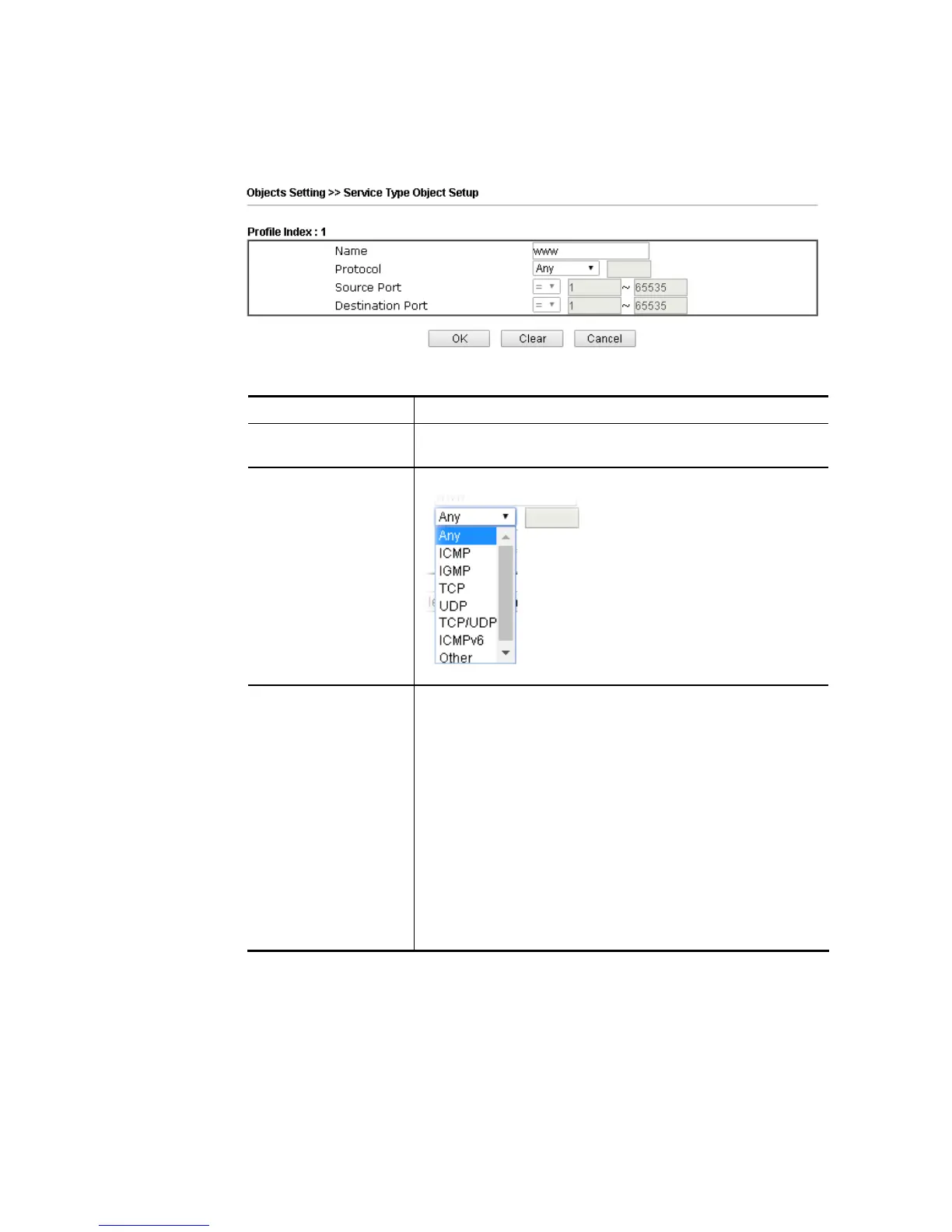
To set a new profile, please do the steps listed below:
1. Click the number (e.g., #1) under Index column for configuration in details.
2. The configuration page will be shown as follows:
Available settings are explained as follows:
Item Description
Name Type a name for this profile. Maximum 15 characters are
allowed.
Protocol Specify the protocol(s) which this profile will apply to.
Source/Destination
Port
Source Port and the Destination Port columns are available
for TCP/UDP protocol. It can be ignored for other protocols.
The filter rule will filter out any port number.
(=) – when the first and last value are the same, it indicates
one port; when the first and last values are different, it
indicates a range for the port and available for this profile.
(!=) – when the first and last value are the same, it indicates
all the ports except the port defined here; when the first and
last values are different, it indicates that all the ports
except the range defined here are available for this service
type.
(>) – the port number greater than this value is available.
(<) – the port number less than this value is available for this
profile.















 To Next Page