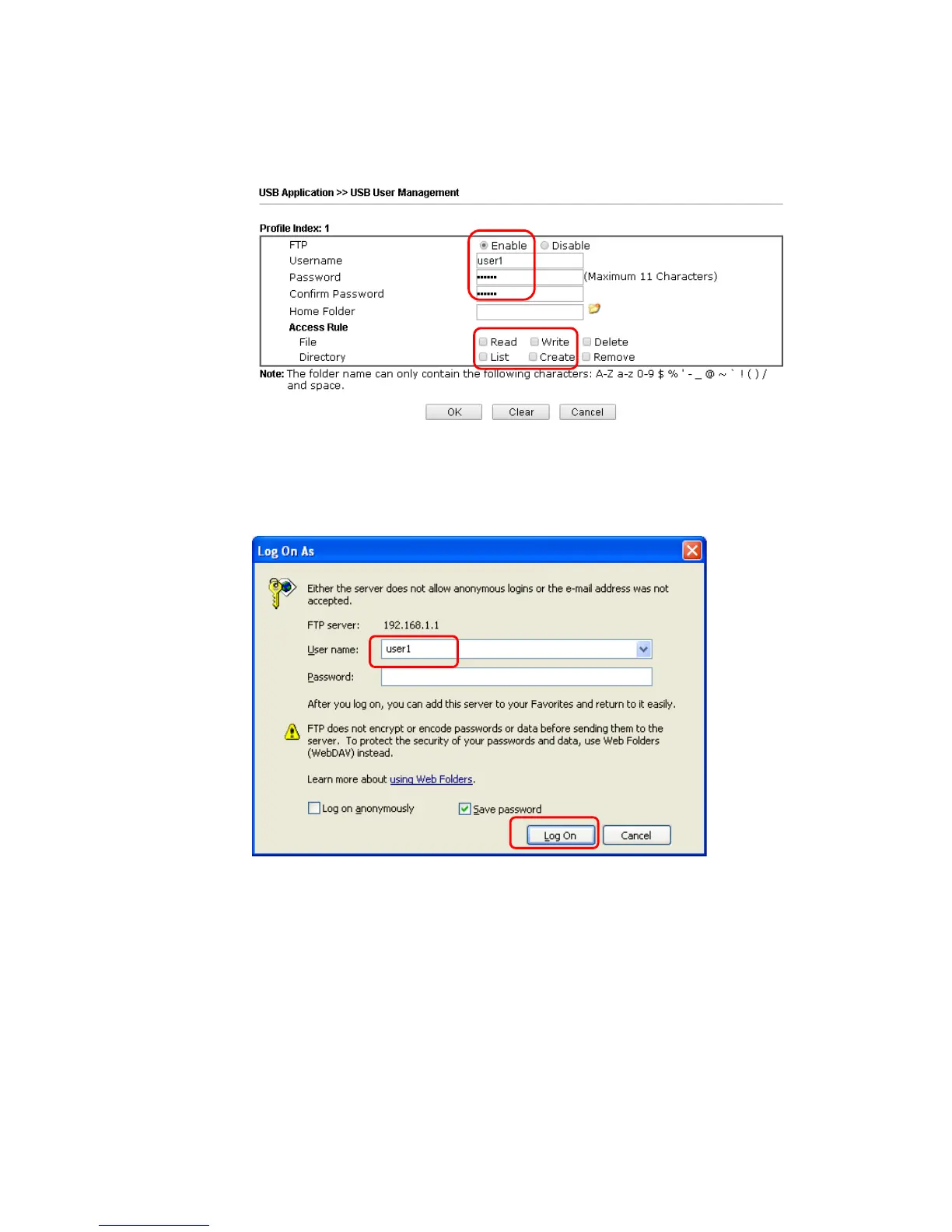
3. Setup a user account for the FTP service by using USB Application >>USB User
Management. Click Enable to enable FTP User account. Here we add a new account
"user1" and assign authorities “Read”, “Write” and “List” to it.
4. Click OK to save the configuration.
5. Make sure the FTP service is running properly. Please open a browser and type
ftp://192.168.1.1. Use the account "user1" to login.


 To Next Page
 Loading...











