Available settings are explained as follows:
Item Description
Time Display the time of the event occurred.
Log Type Display the type of the record.
Message Display the information for each event.
V
V
I
I
I
I
I
I
-
-
1
1
-
-
1
1
3
3
I
I
P
P
v
v
6
6
T
T
S
S
P
P
C
C
S
S
t
t
a
a
t
t
u
u
s
s
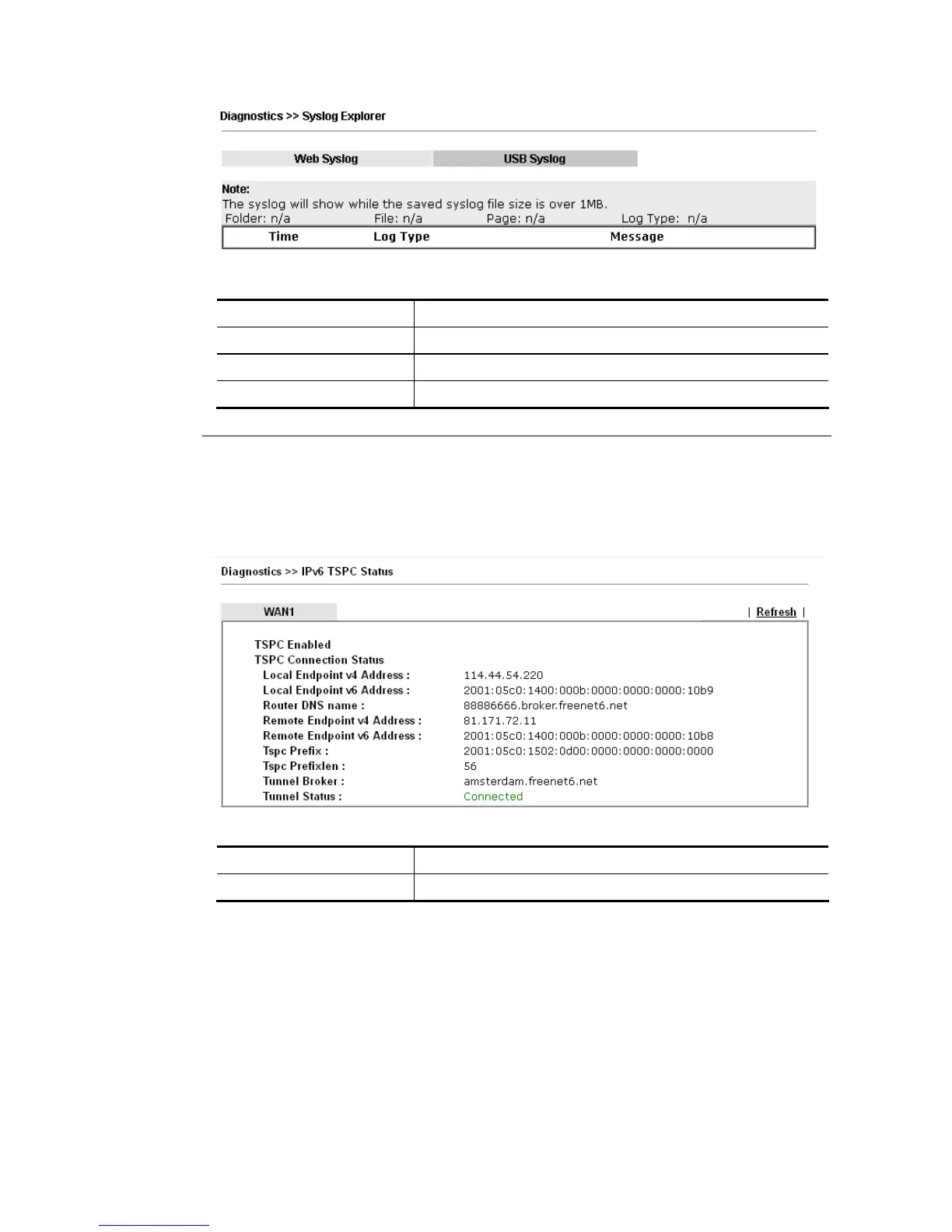
IPv6 TSPC status web page could help you to diagnose the connection status of TSPC.
If TSPC has configured properly, the router will display the following page when the user
connects to tunnel broker successfully.
Available settings are explained as follows:
Item Description
Refresh Click this link to refresh this page manually.


 To Next Page
 Loading...











