19
4
4
.
.
3
3
.
.
1
1
E
E
n
n
a
a
b
b
l
l
i
i
n
n
g
g
t
t
h
h
e
e
E
E
t
t
h
h
e
e
r
r
n
n
e
e
t
t
W
W
A
A
N
N
P
P
o
o
r
r
t
t
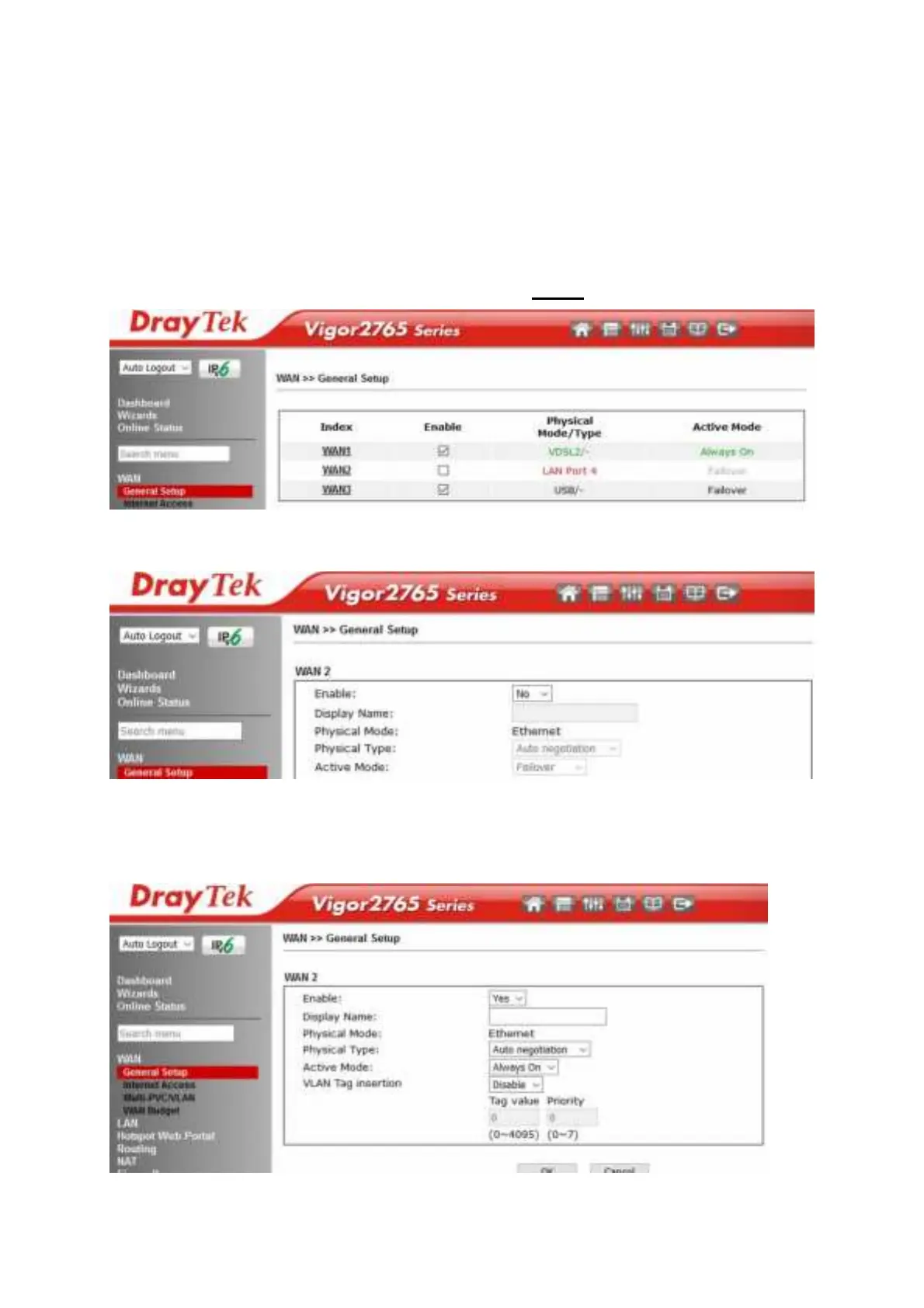
The Vigor 2765 series rout er uses port P4 t o connect t o an Et hernet based
Int ernet connect ion. In it s def ault st at e, t he port P4 operat es as a st andard LAN
port and t he WAN2 (Et hernet WAN) opt ions cannot be select ed in t he rout er’ s
web int erf ace.
To enable t he rout er’ s Et hernet WAN port on port P4 inst ead of LAN mode:
1. Go t o [WAN] > [General Setup] and click WAN2
2. In it s default st at e, t he Enable opt ion is set t o No, which uses port P4 as a
st andard LAN port :
3. Set t he Enable opt ion for WAN2 t o Yes, t his enables t he ot her opt ions on
t his page.
Set t he Act ive Mode t o Always On t o make t he Et hernet port t he act ive
Int ernet connect ion.











 To Next Page