3
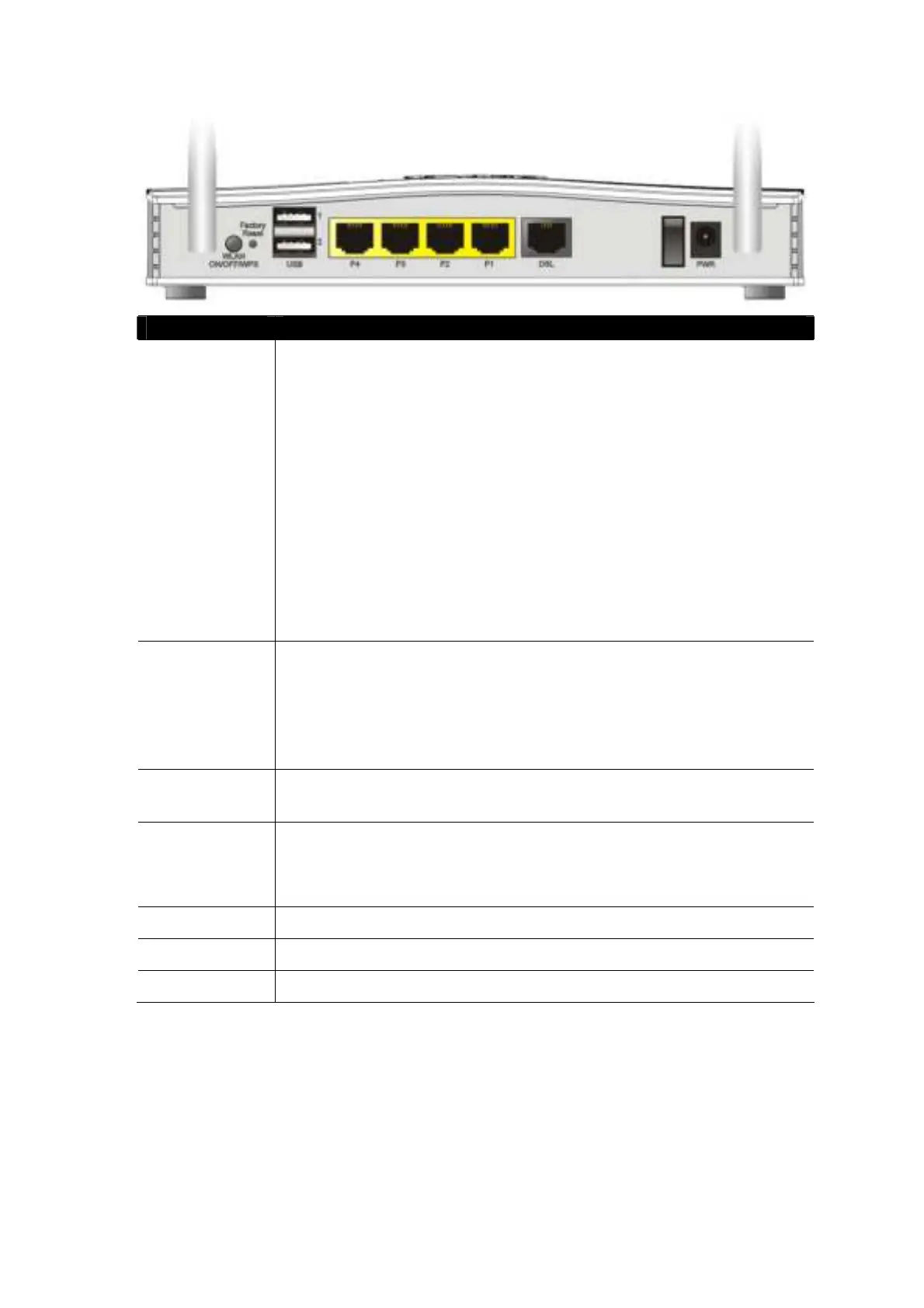
Interface Description
WLAN
ON/ OFF/ WPS
Press for less t han 2 seconds t o swit ch t oggle t he rout er’ s
wireless int erf aces:
For example,
2. 4G (On) and 5G (On) – Def ault st at e.
2. 4G (Of f ) and 5G (On) – press and release t he but t on once.
2. 4G (On) and 5G (Of f ) – press and release t he but t on
t wice.
2. 4G (Of f ) and 5G (Of f) – press and release t he but t on
t hree t imes.
When WPS is enabled in t he rout er’ s web int erf ace, press t his
but t on for more t han 2 seconds t o enable WPS pairing mode.
Fact ory Reset Rest ore t he def ault set t ings.
Usage: Turn on t he rout er (ACT LED is blinking). Press gent ly
and hold f or more t han 5 seconds. When t he ACT LED blinks
rapidly, release t he but t on. Then t he rout er will rest art wit h
t he fact ory def ault conf igurat ion
USB1~USB2 Connect or for a USB 3G/ 4G modem, st orage, print er or USB
Thermomet er
P1~P4 RJ-45 Gigabit Et hernet connect ors for local net work devices.
LAN port P4 can be configured as t he Et hernet WAN port , see
Sect ion 5. 3 f or det ails
DSL
RJ-11 connect or for ADSL or VDSL line
I/ O
Power Swit ch. Turns t he unit on (I) or of f (O)
PWR Connect or f or t he power adapt er











 To Next Page