Vigor2830 Series User’s Guide
450
H
H
a
a
r
r
d
d
w
w
a
a
r
r
e
e
R
R
e
e
s
s
e
e
t
t
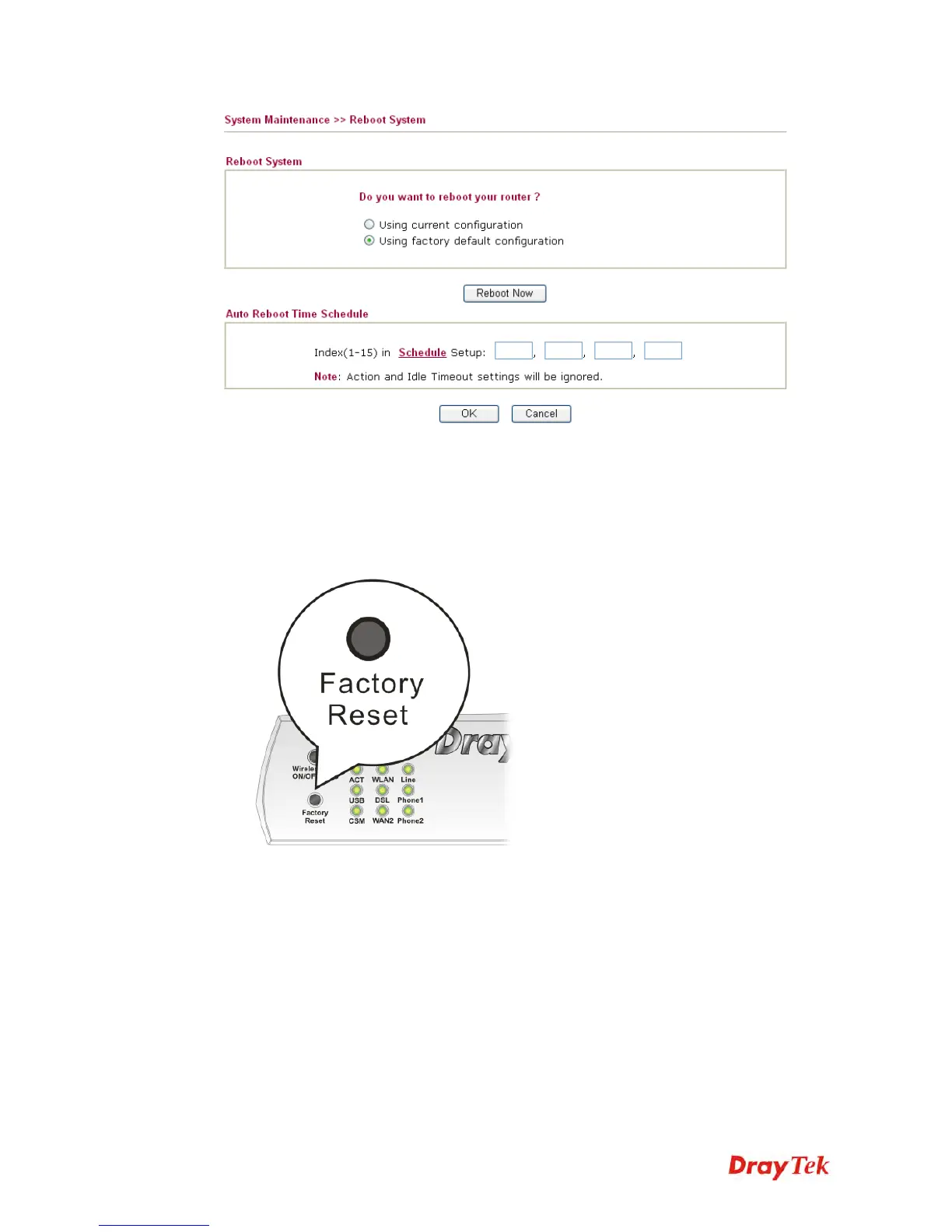
While the router is running (ACT LED blinking), press the Factory Reset button and hold for
more than 5 seconds. When you see the ACT LED blinks rapidly, please release the button.
Then, the router will restart with the default configuration.
After restore the factory default setting, you can configure the settings for the router again to
fit your personal request.
5
5
.
.
7
7
C
C
o
o
n
n
t
t
a
a
c
c
t
t
i
i
n
n
g
g
D
D
r
r
a
a
y
y
T
T
e
e
k
k
If the router still cannot work correctly after trying many efforts, please contact your dealer for
further help right away. For any questions, please feel free to send e-mail to
support@DrayTek.com.














 To Next Page