Vigor2830 Series User’s Guide
382
4
4
.
.
3
3
H
H
o
o
w
w
C
C
a
a
n
n
I
I
U
U
s
s
e
e
F
F
T
T
P
P
t
t
o
o
G
G
e
e
t
t
t
t
h
h
e
e
F
F
i
i
l
l
e
e
s
s
f
f
r
r
o
o
m
m
U
U
S
S
B
B
S
S
t
t
o
o
r
r
a
a
g
g
e
e
D
D
e
e
v
v
i
i
c
c
e
e
C
C
o
o
n
n
n
n
e
e
c
c
t
t
i
i
n
n
g
g
t
t
o
o
V
V
i
i
g
g
o
o
r
r
R
R
o
o
u
u
t
t
e
e
r
r
?
?
There are three methods to get files from USB devices connecting to router.
File Explorer – Under Administration operation, the administer can control the files on
USB storage device through USB Application>>File Explorer.
FTP – Use common FTP utility.
Samba – Invoke Samba service and use \\192.168.1.1
to access into the USB storage
device.
Files on USB storage device can be reviewed by opening USB Applicaiton>>File Explorer.
Below shows the example of getting files from FTP:
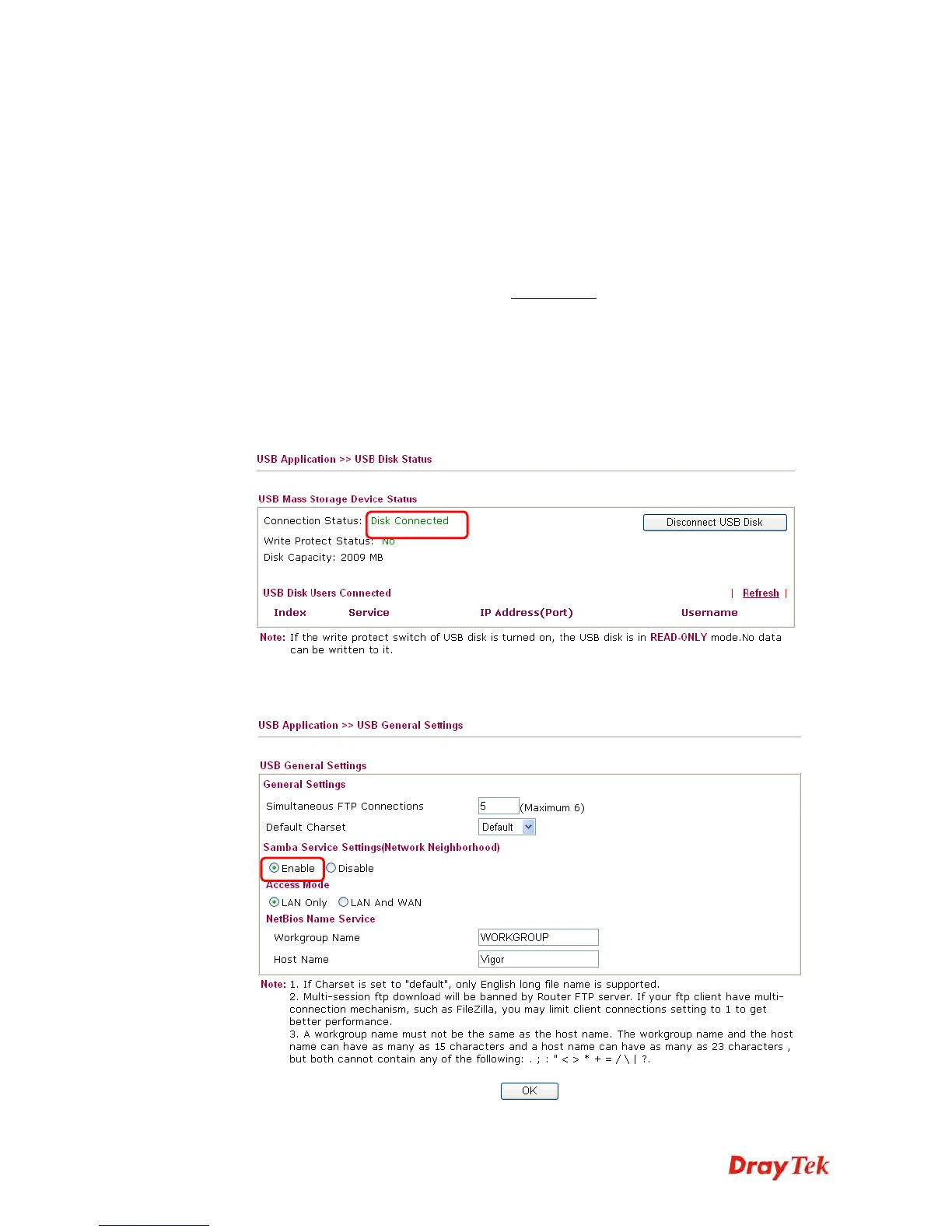
1. Plug the USB device to the USB port on the router. Make sure Disk Connected appears
on the Connection Status as the figure shown below:
2. Then, please open USB Application >> USB General Settings to enable Samba service.














 To Next Page