Vigor2830 Series User’s Guide
81
have to type IP address in this field for pinging.
TTL (Time to Live) – Displays value for your reference.
TTL value is set by telnet command.
MTU
It means Max Transmit Unit for packet. The default setting
is 1442.
PPP/MP Setup
PPP Authentication – Select PAP only or PAP or CHAP
for PPP. If you want to connect to Internet all the time, you
can check Always On.
Idle Timeout – Set the timeout for breaking down the
Internet after passing through the time without any action.
IP Address Assignment
Method (IPCP)
Usually ISP dynamically assigns IP address to you each
time you connect to it and request. In some case, your ISP
provides service to always assign you the same IP address
whenever you request. In this case, you can fill in this IP
address in the Fixed IP field. Please contact your ISP before
you want to use this function.
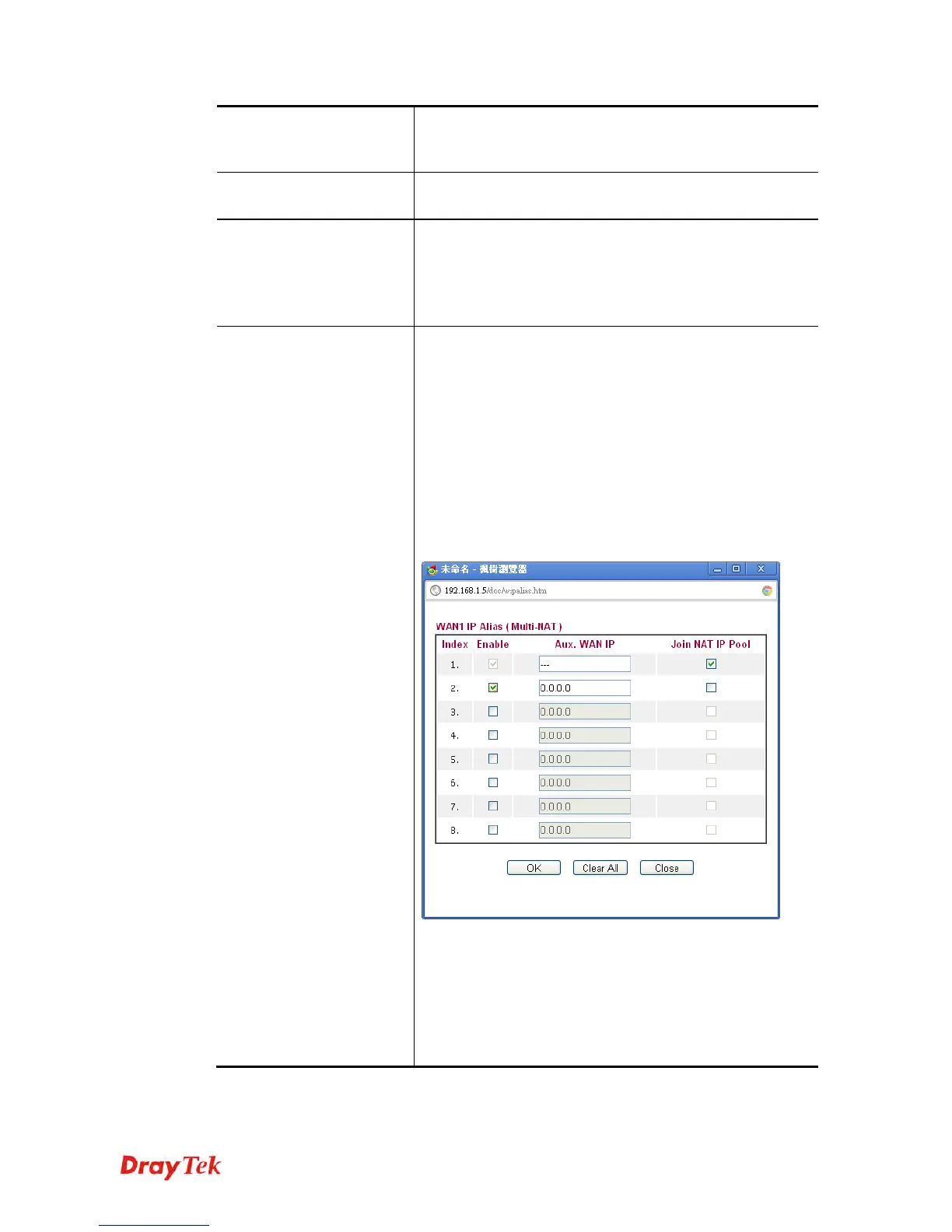
WAN IP Alias - If you have multiple public IP addresses
and would like to utilize them on the WAN interface, please
use WAN IP Alias. You can set up to 8 public IP addresses
other than the current one you are using. Type the
additional WAN IP address and check the Enable box. Then
click OK to exit the dialog.
Fixed IP – Click Yes to use this function and type in a
fixed IP address in the box of Fixed IP Address.
Default MAC Address – You can use Default MAC
Address or specify another MAC address by typing on the
boxes of MAC Address for the router.
Specify a MAC Address – Type the MAC address for the
router manually.
After finishing all the settings here, please click OK to activate them.














 To Next Page