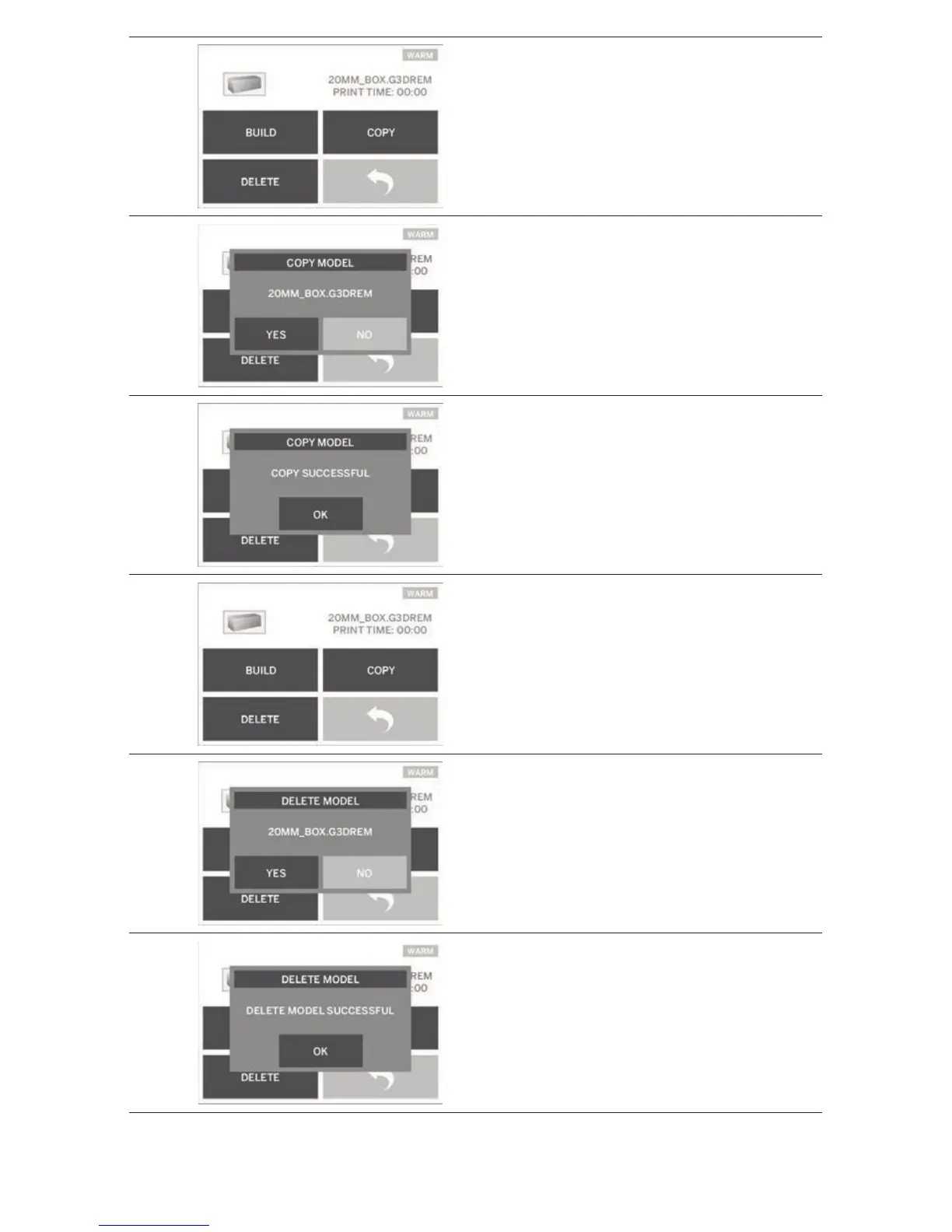
COPY
Tapping this option will allow you to copy a
model le from an SD card to your Dremel 3D20
onboard memory. You cannot copy a model le
from your Dremel 3D20 to an SD card.
COPY MODEL
Tapping this option will conrm your decision to
copy your model le from your Dremel 3D20’s
onboard memory or an SD card.
COPY MODEL SUCCESSFUL
A pop-up alert notifying you that the model le
has been successully copied.
DELETE
Tapping this button to permenantly delete the
selected model le from the onboard Dremel
3D20
memory drive or an SD card.
DELETE MODEL
A pop-up will ask you to conrm that you want to
permenantly delete a model le from your
Dremel
3D20’s onboard memory or an SD card.
DELETE MODEL SUCCESSFUL
A pop-up alert notifying you that the model le
has been successully deleted.
12



 To Next Page