Mounting the Camera
Initial Setup
Shot Setup
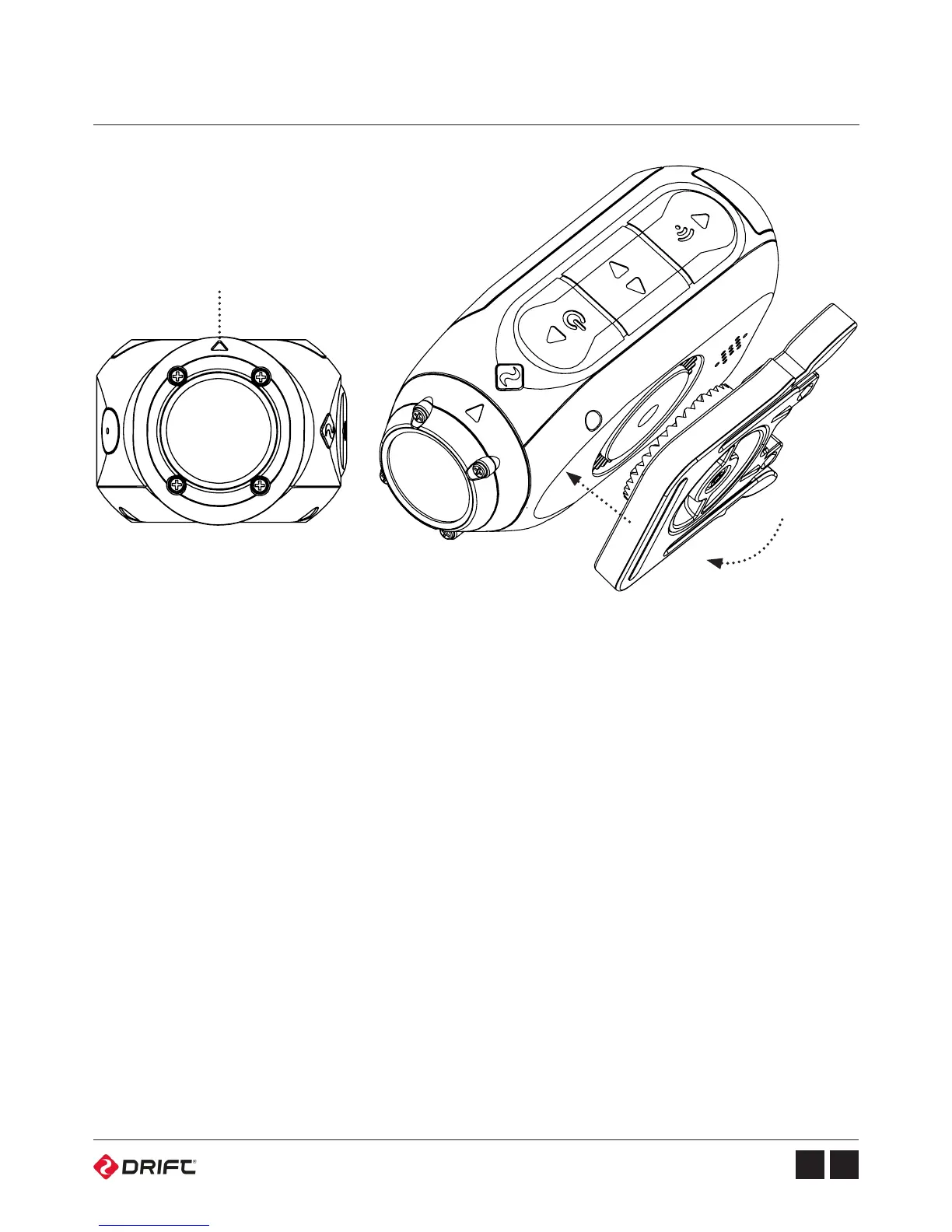
1. Attach the Universal Clip to the camera in any 360° orientation as needed –first
position the clip in the desired orientation, then secure by rotating the screw
base by hand.
2. Slide the Universal Clip into your chosen mount, ensuring that it ‘clicks’ into
place. *Double check it has been fully inserted by pushing out the clips.
3. Align your shot. Rotate the lens by hand, using the lens marker as an ‘up’
reference, mantaining it perpendicular to the ground for correct orientation.
The Drift Life app is the fastest way to check your shot. Simply download the app
from Google Play (Android) or the App Store (iOS), launch the app.
Tap ‘Connect Camera’ and follow the instructions.
Lens Marker


 To Next Page