Camera Care
Cleaning the Camera
Cleaning the Lens
Storage
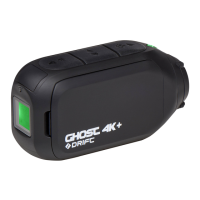
The Ghost 4K is specifically designed for extreme sports. It is a very durable piece
of equipment. However, to ensure a long and healthy life for your camera, please
follow the guidelines below.
During your sporting activities, the camera will inevitably get dirty or wet.
Although this is not an issue, it is recommended that you clean the camera
after each use. Clean the camera thoroughly with a damp cloth and let it air dry
before uncovering ports, or rotating the lens. Modules should be removed
while allowing the camera to dry. Take extra care when cleaning the built-in
microphone and speaker.
In order to provide a clear image for high definition video, it is important to keep
the camera lens clean. Be careful not to scratch the camera lens whilst cleaning
it. Wipe o any surface mud or water from the lens with a damp cloth and use a
dry, micro fibre, scratch proof cloth to polish the lens once it is dry.
Scratch proof cloths are available from any camera shop or optician.
If unused for any length of time, please remove the memory card from your
Ghost 4K, and store the camera in a dry environment, away from direct sunlight.
Following use in wet weather it is recommended to store the camera in a warm
dry place for 24 hours, to allow any moisture to disperse.



 To Next Page