18
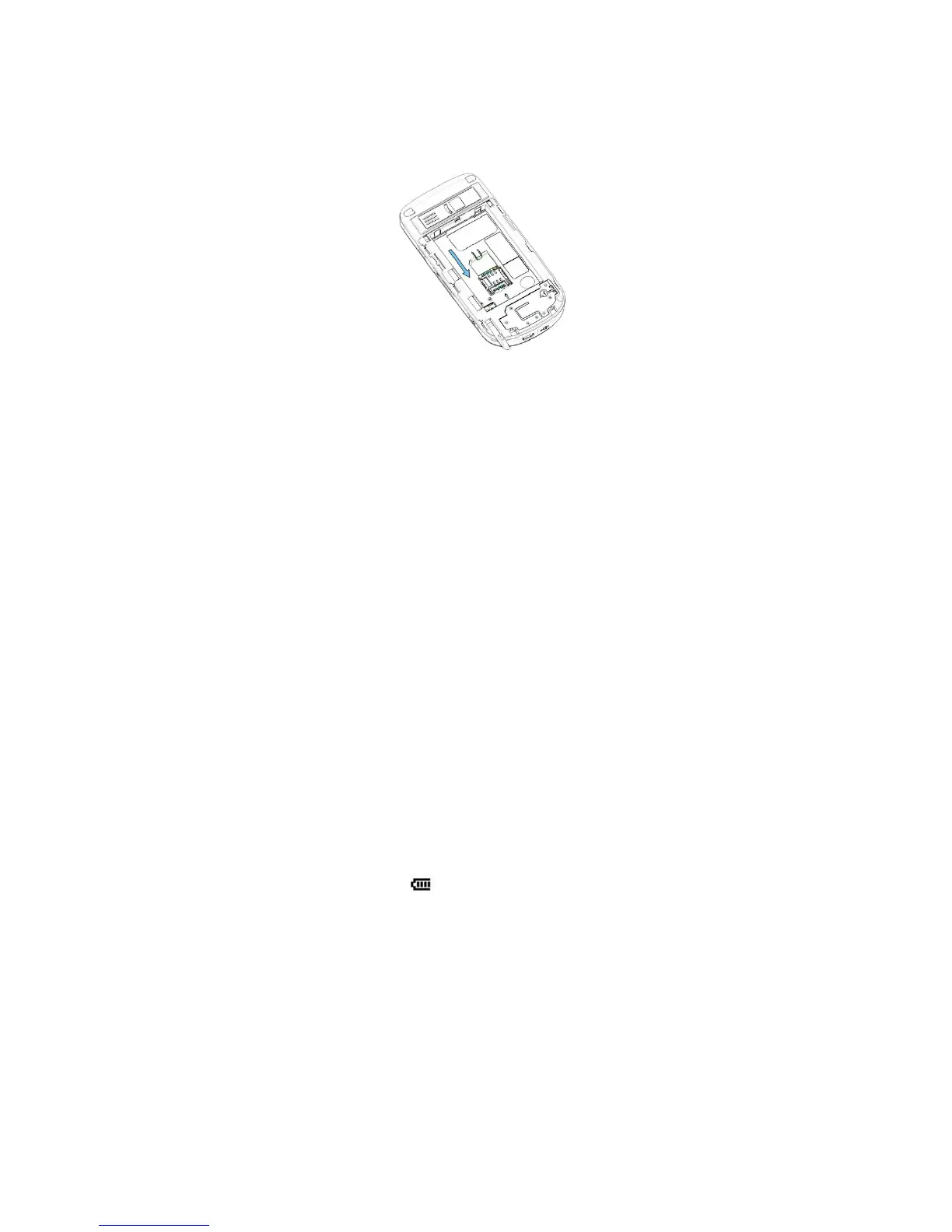
contacts facing down (the cutoff corner of the SIM card should match the cut-off
corner in the device.
4. Replace the battery and gently push down to snap it into place.
5. Replace the battery cover.
1.3 Battery Information
This device is intended for use with a Li-ion polymer battery. Use only batteries,
chargers and enhancements approve by the manufacturer. Battery performance
depends on many factors, including wireless service provider’s network configuration,
signal strength, temperature of the environment in which you operate your device, the
features and/or settings you select and use, items attached to your device’s
connecting ports, and your voice, data, and other program usage patterns.
Battery life estimates (approximations):
. •
Standby time: 150 ~ 200 hours
. • Talk time (Screen off): 3.5 ~ 5 hours
Warning! To reduce risk of fire or burns.
. • Do not attempt to open, disassemble, or service the battery pack.
• Do not crush, puncture, short external contacts, or dispose of in fire or
water.
. • Do not expose to temperatures above 60
o
C (140
o
F).
. • Replace only with the battery pack designated for this product.
. • Recycle or dispose of used battery as stipulated by local regulation.
To check the battery power
• Tap the battery level icon ( ) on the Today screen.
• Select Start > Settings > System tab > Power.



 To Next Page