54
6.1 Connecting to the Internet
Your device is equipped with powerful networking functions that enable you to
connect to the Internet through a General Packet Radio Service (GPRS) network or a
Bluetooth modem or a WLAN network. The GPRS is a new non-voice value added
service that allows information to be sent and received across a mobile telephone
network. You can set up connections to the Internet or to a corporate network to
browse the Internet, and exchange e-mail or instant messages.
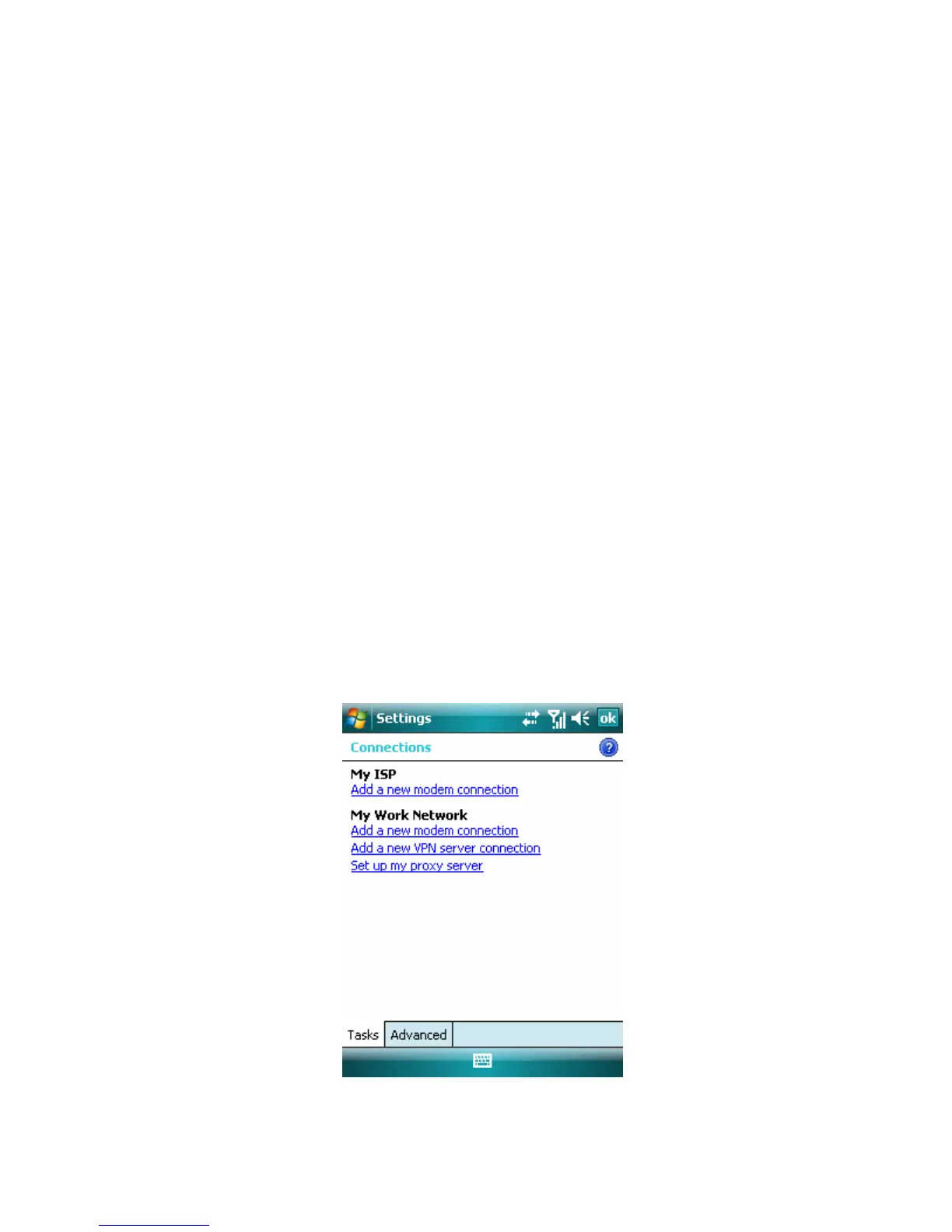
Your device has two groups of connection settings: My ISP (Internet Service Provider)
and My Work Network. The My ISP settings are used to connect to the Internet,
while My Work Network settings can be used to connect to any private, corporate
network.
To connect to the Internet via ISP
1. Obtain the following information from your ISP:
• ISP server phone number
• User name
• Password
• Access point name (required for GPRS connection)
2. Tap Start > Settings > Connections tab > Connections.
3. Tap Add a new modem connection.
4. Enter a name for the connection.
5. Select a modem from the list. For example, if you want to use the mobile phone
network, select Cellular Line.
6. Tap Next.
7. Complete the connection wizard by entering the required information and tap
Finish.
Connection Setting



 To Next Page