72
• Edit a new MMS and tap Menu > Options > Background to choose a
background color from the list.
• Tap Menu > Options > Text Layout…, you can select Text above, Text
below, Text on the left or Text on the right to align the included text.
• Tap Menu > Options > Send Options to configure and manage the
Delivery time, Expiration, priority, and other settings for a message.
To change MMS settings
You can set options to keep track of your messages, retrieve messages
immediately, accept or reject messages, and request a delivery or read report. You
can also specify a resolution for images you send, message delivery attempts, and
set up a server to access messages.
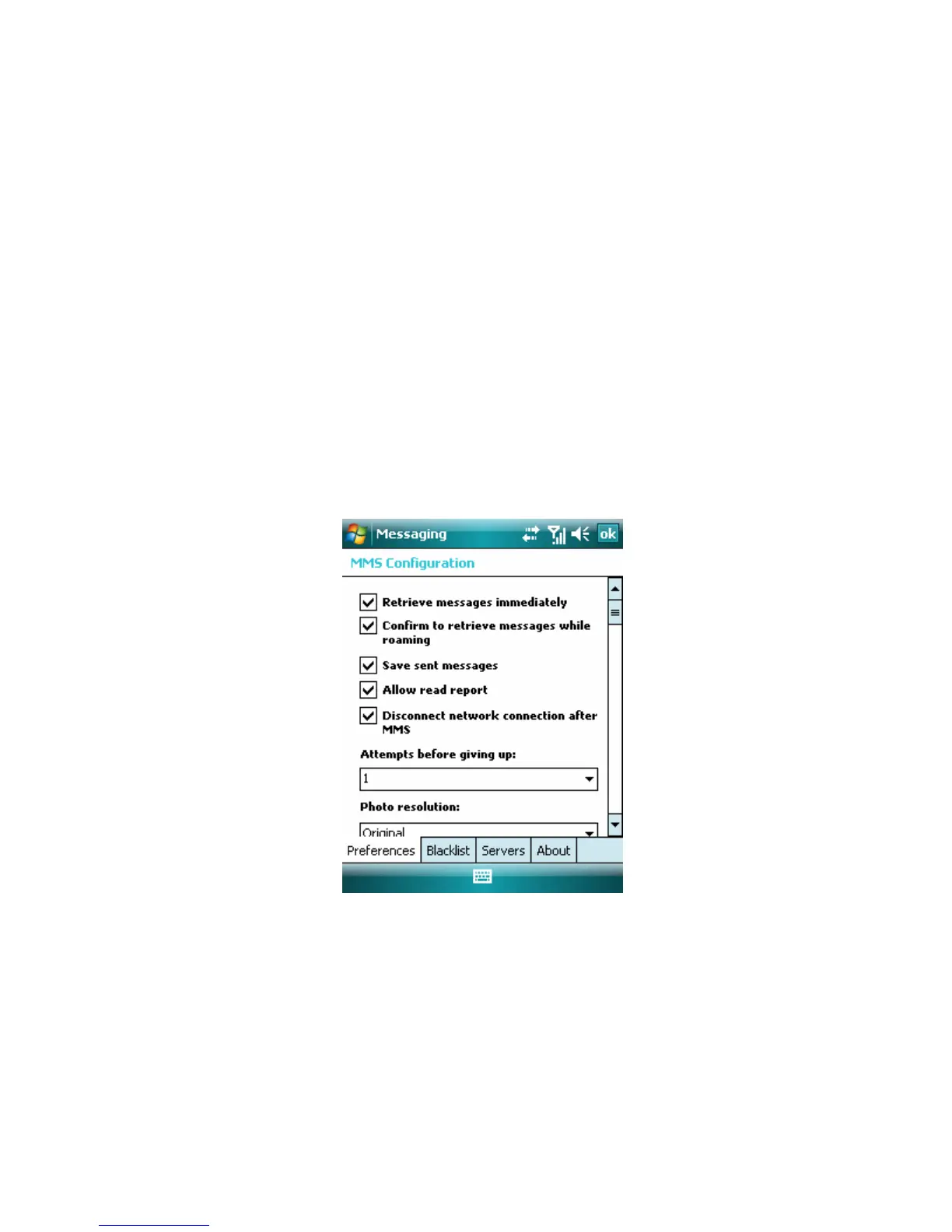
To configure MMS settings
1. Tap Start > Messaging.
2. Tap Menu > Options > Accounts tab > MMS, enter the MMS Configuration
information. ( Tap Menu > Tools > Options > Accounts tab > MMS from MMS
list screen and you can also enter the MMS Configuration.)
3. Select any of the following:
• Retrieve messages immediately. Select this option to download new
messages automatically without being notified. (Typically, when connect to a
network, you will receive a notification whenever you device receives a new
message.) You can also choose to download messages when you are on your
home network only.
• Confirm to retrieve messages while roaming. Select this option to retrieve
messages while your device is roaming.
• Save sent messages. Select this option to save a copy of sent messages.



 To Next Page