10
Owner's Manual
Drivecon Toll Free Ph: 1-800-374-8266
Drivecon reserves the right to alter or amend the above information without notice
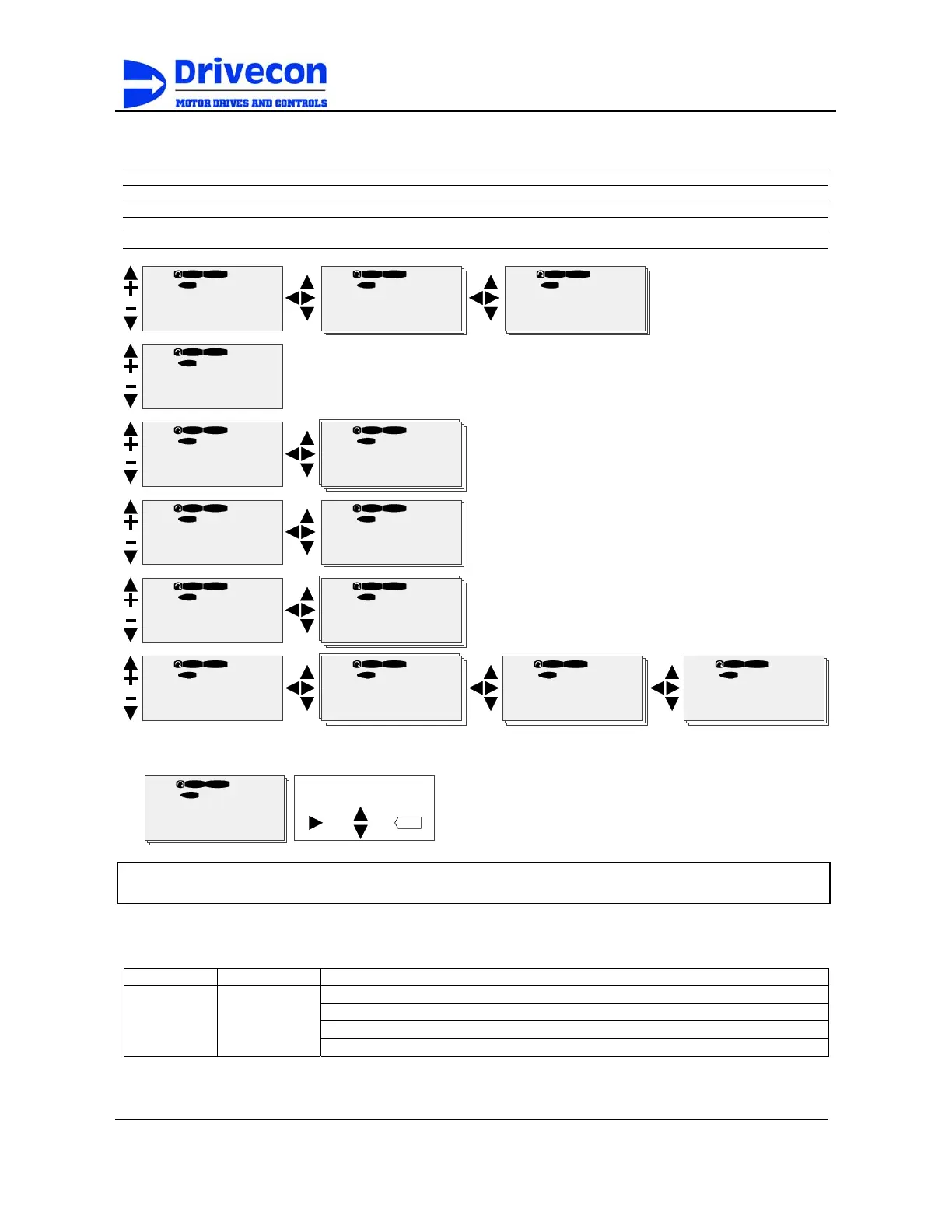
Navigation on the control keypad
Letter front of the code number describes variable type
B = Button G = Group N = Multimonitor T = Trip Counter
C = Counter H = Fault History P = Parameter V = Value
D = Data I = Info R = Reference
E = Expander M = Menu Group S = System
READYSTOP
G3.
Parameters
G1
Æ
G8
Æ
READYSTOP
G4.
Monitoring
G1
Æ
G23
Æ
READY
STOP
G5.
Panel Control
B1
Æ
R2
Æ
READYSTOP
M6.
System Menu
S1
Æ
S8
Æ
READY
STOP
M7.
Active Faults
F0
READYSTOP
M8.
Fault History
H1
Æ
Hxx
Æ
READYSTOP
G3. 4.
Motor Parameters
G1
Æ
G7
Æ
READYSTOP
G3. 4.1.
Motor Set 1
P1
Æ
G23
Æ
READYSTOP
P3 . 4 . 1 . 1.
Motor Nom Volt
400 V
READYSTOP
V4 . 22.
Output Frequency
0.00 Hz
READY
STOP
B5 . 1 .
Panel Control
Off
READYSTOP
S6. 2.
Application
Crane
READYSTOP
H8 .1 .
57 Thermistor
F T1
Æ
T13
Æ
READYSTOP
Operation days
0
I/O term I/O term I/O term
I/O term
I/O term I/O term
I/O term I/O term
I/O term I/O term
I/O term I/O term I/O term I/O term
T8 . 1 . 1 .
Value line editing
enter
Mode
change
Accept
value
Edit
value
READYSTOP
P3 . 4 . 1 .1 .
Motor Nom Volt
400 V
I/O term
Warning! Changing parameter settings during running may cause a hazardous situation.
Parameter settings must not be changed during running.
Passwords
Parameter Name Description
Following passwords release the parameter locks.
Level 1 Locked 0
Level 2 Start-up 26
P3.1.1 Password
Level 3 Engineering 768



 To Next Page