Drobo5N2 User Guide 104
1.5.1.1 Adding a Drobo 5N2 by Its IP Address
In Drobo Dashboard, you can add a network-connected Drobo device to the All Drobos page by its
IP address if it is not in the local subnet.
1.
In Drobo Dashboard, click Dashboard Preferences on the Navigation menu to open
the Dashboard Preferences page.
2.
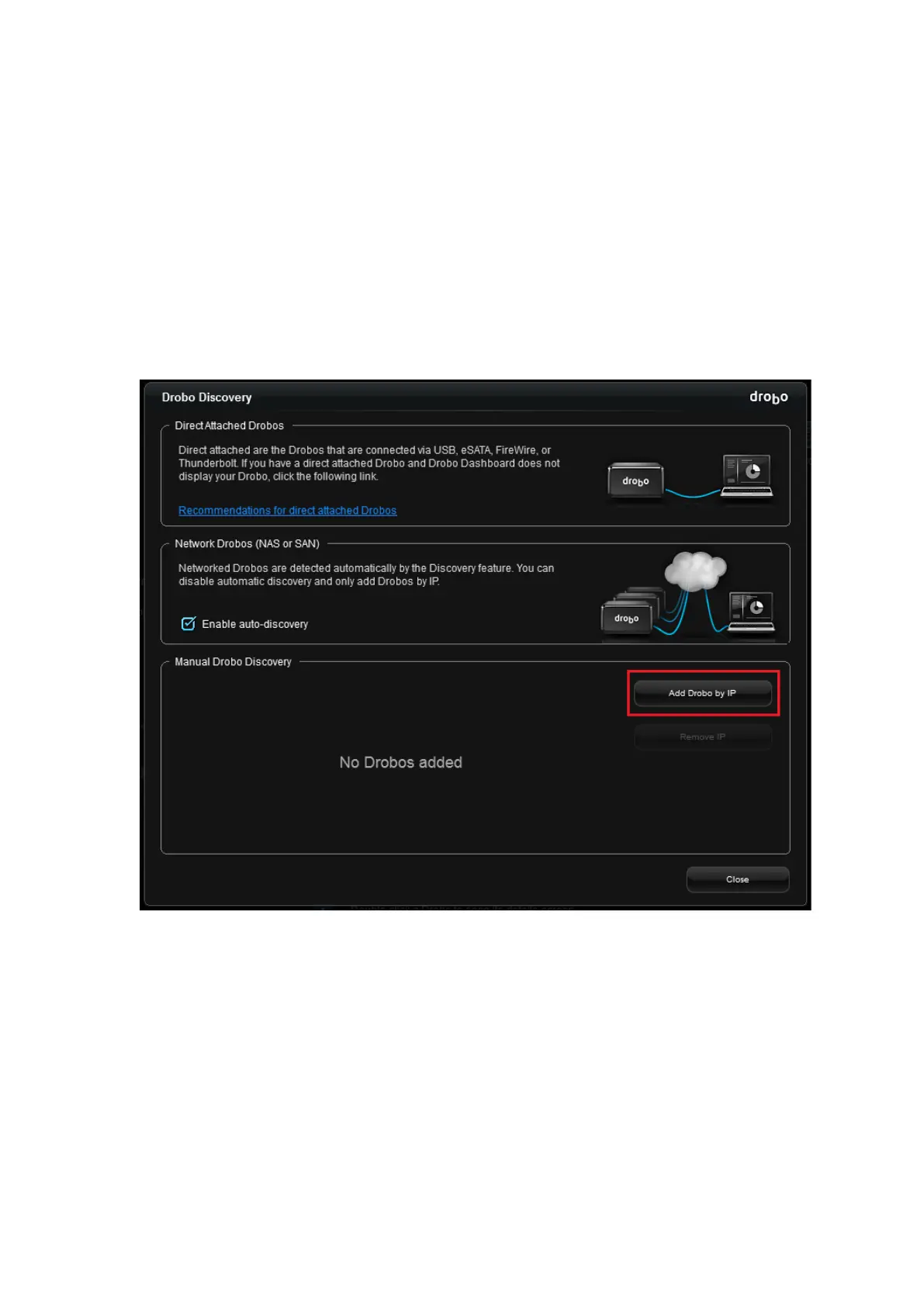
In the Drobo Discovery area, click the Drobo Discovery Settings link. The Drobo
Discovery page opens.
3. In the Manual Drobo Discovery area, click the Add Drobo by IP button to add a Drobo device by
its IP address. The Manual Drobo Discovery window opens.



 To Next Page