Drobo5N2 User Guide 107
1.5.1.3 Enabling or Disabling Auto-Discovery of Drobo 5N2
By default, Drobo Dashboard automatically discovers all Drobos in the local subnet. However, you
can disable this automatic discovery feature.
1.
In Drobo Dashboard, click Dashboard Preferences from the Navigation menu to open
the Dashboard Preferences page.
2.
In the Drobo Discovery area, click the Drobo Discovery Settings link.
The Drobo Discovery page opens.
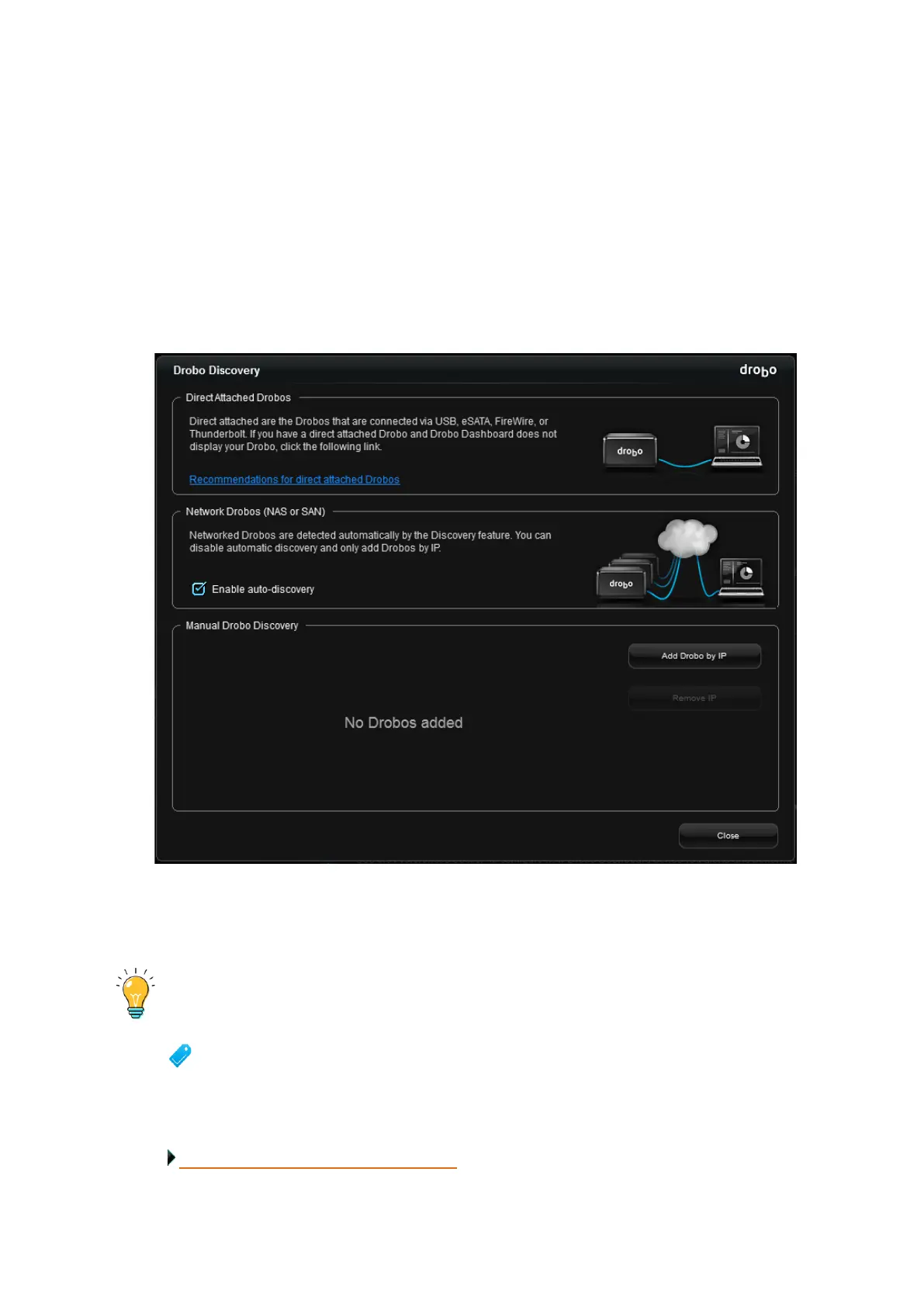
3. In the Network Drobos (NAS or SAN) area of the Drobo Discovery page, select or de-select
the Enable Auto Discovery check box to enable or disable the auto-discovery of all the Drobos in the
local subnet.
Tip:
You can also open the Drobo Discovery window by clicking the Drobo Discovery
Settings link on the All Drobos page.
Related topic:
Managing Auto-Discovery of Drobo 5N2



 To Next Page