Drobo5N2 User Guide 43
1.2.6
Understanding the Indicator Lights
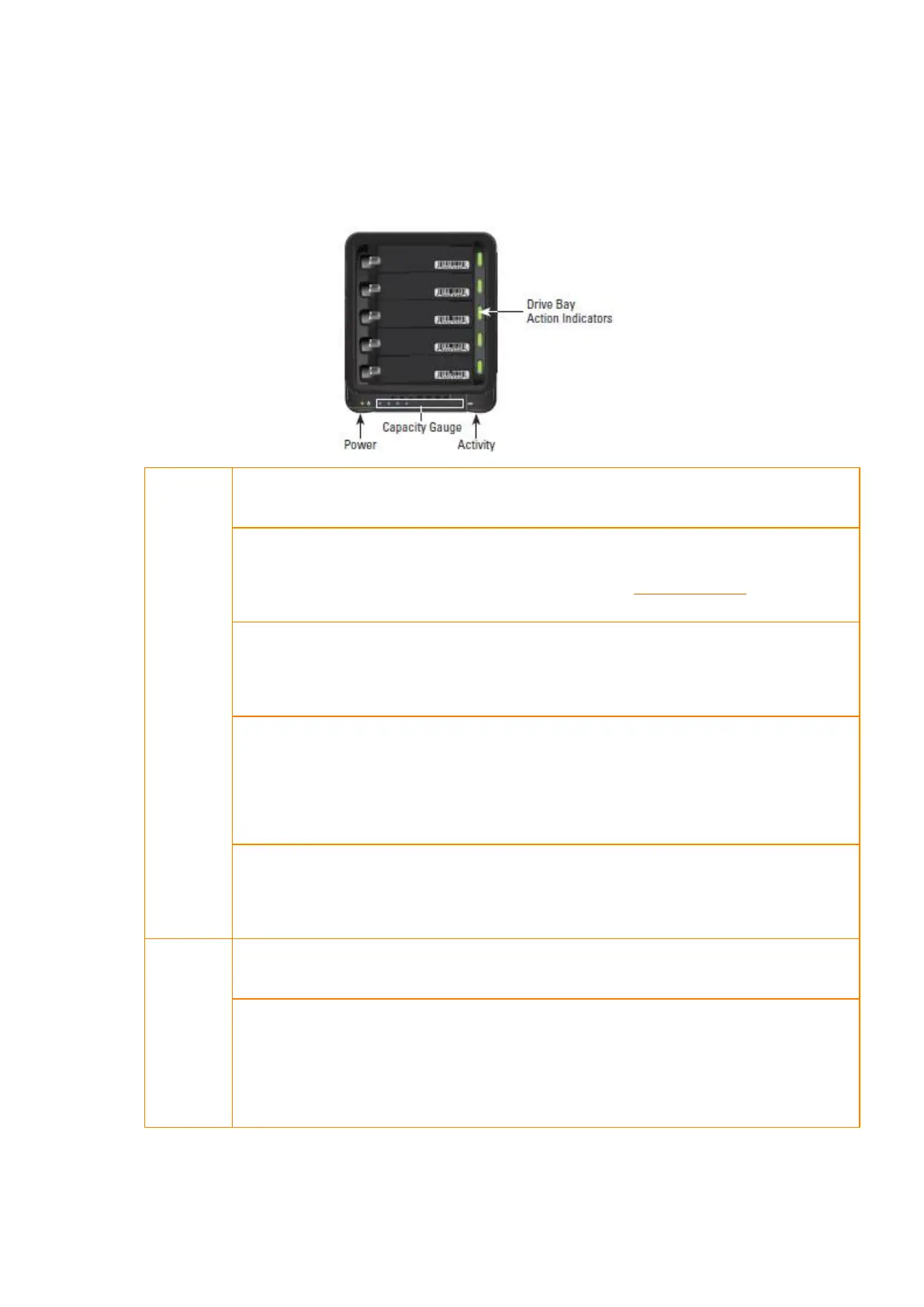
Your Drobo 5N2 is equipped with various indicator lights which provide valuable information. Refer
to the image below.
Drive
Lights
Green: No action is required. All drives are healthy.
Solid Yellow: Add a drive or replace the current drive with a larger drive soon.
Your Drobo device is running out of disk space. See Adding Capacity (or Drives).
Blinking Yellow and Green: Do not remove these drives or power down. Your
Drobo device is working to protect your data.
Solid Red: Add a drive or replace the current drive with a larger drive
immediately. Your Drobo device is critically low on space. See Adding Capacity
(or Drives)
Blinking Red: Replace this drive immediately. This drive has failed. See Adding
Capacity (or Drives)
Power
Light
Green: The power is on and your Drobo device is ready.
Yellow: Your Drobo device is in the process of powering on. Drobo
automatically goes into Standby if your computer is in sleep mode or if your
computer is powered off.



 To Next Page