Drobo5N2 User Guide 116
●
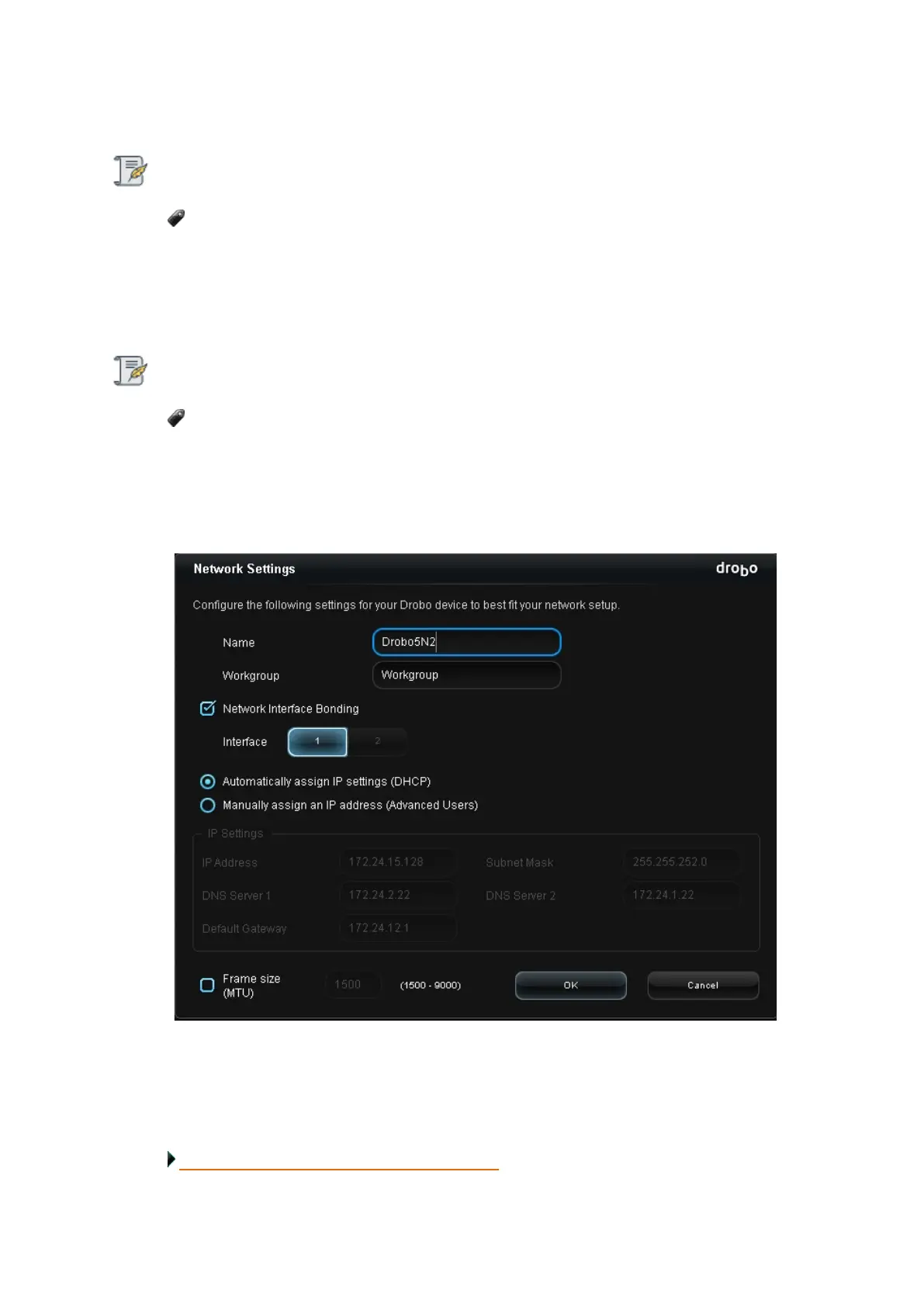
Modify the IP address and other network information, as needed.
Note:
Be sure to use an IP address that is outside the range of IP addresses your router might
assign with DHCP (Dynamic Host Configuration Protocol). Check the documentation for your
router for more information.
4.
If you would like to modify MTU settings to support jumbo frames, select the Frame size (MTU)
check box and enter the frame size in the text box.
Note:
If you choose to use jumbo frames, ensure that the frame size you enter is supported by
your computer and router or switch. There needs to be end-to-end matching of MTU settings,
from the Drobo device to your switch or router to your host computer.
5. If you would like to enable network port bonding, select the Network Port Bonding check
box. Ensure that you have both the Ethernet ports connected.
6. Click the OK button. A dialog box opens, asking you to restart your Drobo to apply the changes.
7.
Click the Yes button. Your Drobo device restarts with your new settings.
Related topic:
Modifying the MTU Settings for Jumbo Frames



 To Next Page