1
Section 1: Introduction
This manual shall be used with the Installation Manual of the associated Alarm Controller for installation.
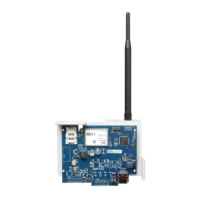
T-Link TL250/TL300
The T-Link TL250/300 modules are network internet communicators that send alarm system
information to a central station receiver. The module is pre-programmed with the most com-
monly used settings for quick installation. Default options can be custom programmed using
T-Link Console software if required.
T-Link TL300
The T-Link TL300 connects directly to the telephone output of a control panel and simulates a tele-
phone connection, that sends predefined Contact ID codes to the central station using the UDP proto-
col. The T-Link TL300 on-board zones can be used as in mode 2 (4-zone stand-alone) and mode 3 (12-
zone stand-alone). Modes 1,4 and 5 are not supported.
Software Version 1.0
• Supports TL250 and Modes 1, 2, 3 and 4 only.
Software Version 1.10
• Supports TL250, includes version 1.0 options and Mode 5, TL250 DVACS panel conversion
(Canada only). Corresponding version numbers for SG DRL3-IP and T-Link Console are
required to ensure compatibility (i.e., SG DRL3-IP v2.11 and T-Link Console v1.10 are
required for corresponding T-Link TL250 v1.10).
NOTE: For DVACS mode, an SG-DRL3-IP v2.11 or SG System II v1.21 receiver line card is required to com-
municate with the T-Link TL250 v1.10 or higher.
• Account code extended from 6 to 10 digits.
Software Version 1.20
• Supports TL250 and TL300 and all version 1.10 options.
• Supports new digital input definition ‘98’ Panel Absent.
• Supports basic programming from LCD5500/PK5500 keypads.
• Default Installer Code has changed from CAFE to 5555 for this software version.
Software Version 1.3-1.5
• Supports TL250 and TL300 and all version 1.20 options
• Supports programmable heart beat interval (Section [072]
• Supports new digital input definition ‘97’ AC Trouble (delayed)
1.1 Operating Modes
Mode 1: Bell Follower (TL250 only)
In Mode 1, the T-Link TL250 monitors the Bell Output of a control panel. The system identifies
the Bell Output cadence and transmits the corresponding Fire or Burglar alarm reporting code to
the central station. Refer to section 3 for details. Refer to the appropriate control panel Installa-
tion Manual.
NOTE: Do not use Mode 1 for UL or ULC listed installations.
Mode 2: 4-Zone Panel (TL250 and TL300)
The system is configured for 4-zone, stand alone operation. Refer to section 4.1 for details.
Mode 3: 12-Zone Panel (TL250 and TL300)
If the T-Link TL250 detects a PC5108 expander card on power up, it will automatically configure
itself for 12-zone stand-alone operation with normally open loops. Refer to section 4.2 for details.
NOTE: In modes 2 & 3, the connections between the PC5108 inputs or T-Link TL250 inputs and the alarm
control unit outputs (relay contacts) shall be done in metal conduit, within 6.1m (20 ft.). Stand-alone opera-
tion will still require the inputs to be programmed with the desired alarm types.
Mode 4: Standard Mode (TL250 only)
In standard mode, the system is configured as a communicator with a compatible DSC alarm
panel: Models PC1616/1832/1864, PC4020, PC4020CF, PC5020 or PC5020CF. Refer to Section
5 for details.
Mode 5: DVACS
®
* Mode (V1.10 or later, TL250 only)
In DVACS mode, the system is configured as a communicator with a compatible DVACS
alarm panel. Refer to section 6 for details. Refer to Appendix C for a list of compatible
DVACS panels and modules.



 To Next Page