Viewing The Instrument Pages
38
5.2 MODULE DISPLAY
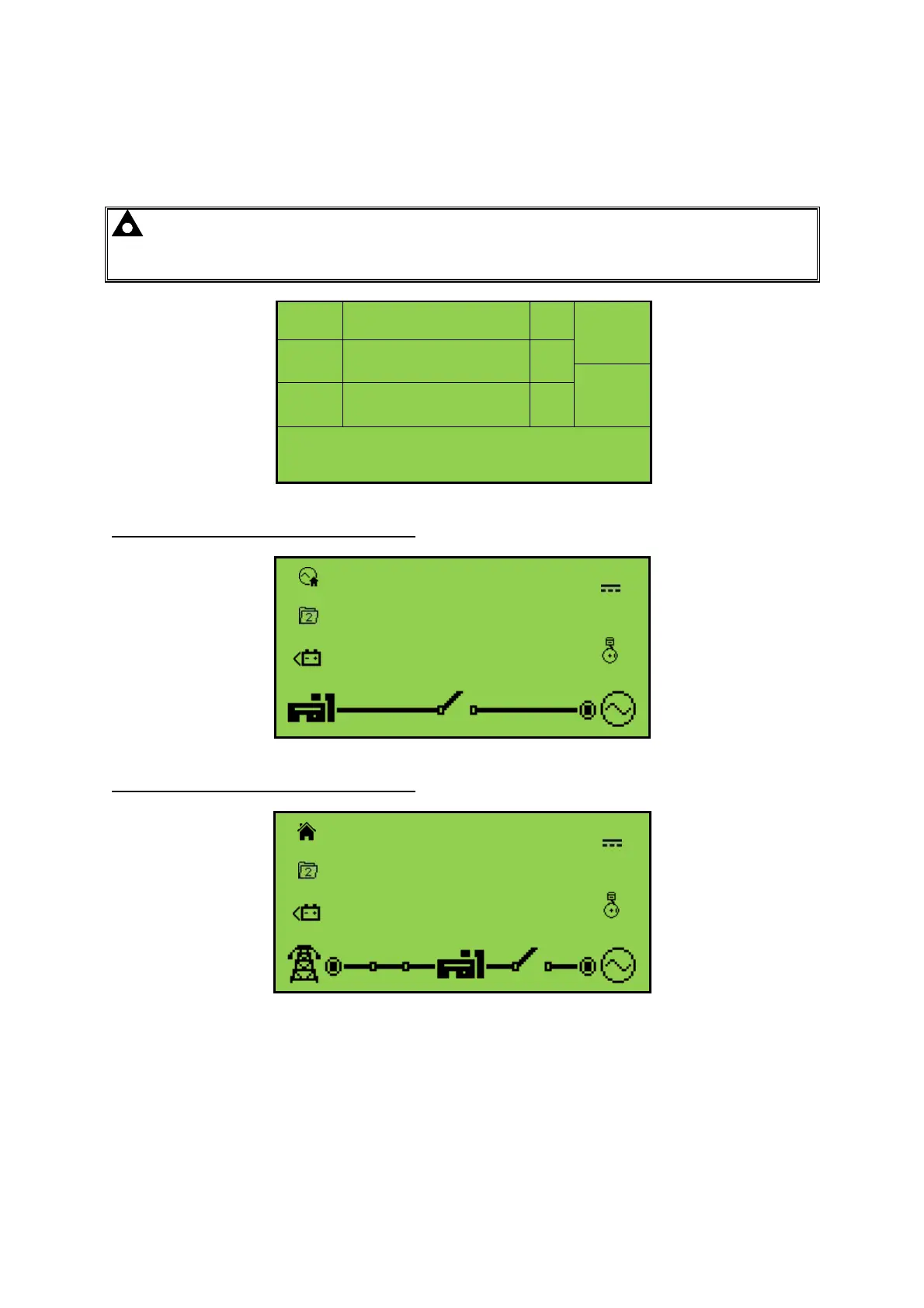
The module’s display contains the following sections. Description of each section can be viewed in
the sub sections.
NOTE: Depending upon the module’s configuration, some display screens may be
disabled. For further details of module configuration, refer to DSE Publication: 057-201
DSE46xx Configuration Software Manual.
Inst.
Icon
Instrumentation
Unit
Alarm
Icon
Active
Config
Instrumentation
Unit
Mode
Icon
FPE /
Auto
Run
Instrumentation
Unit
Load Switching Icons
Example of DSE4610 Home Page Display
L1N
230
V
L2N
230
V
L3N
230
V
Example of DSE4620 Home Page Display
230
V
L1N
230
V
230
V
L2N
230
V
230
V
L3N
230
V



 To Next Page