Viewing The Instrument Pages
47
5.3 VIEWING THE INSTRUMENT PAGES
5.3.1 NAVIGATION MENU
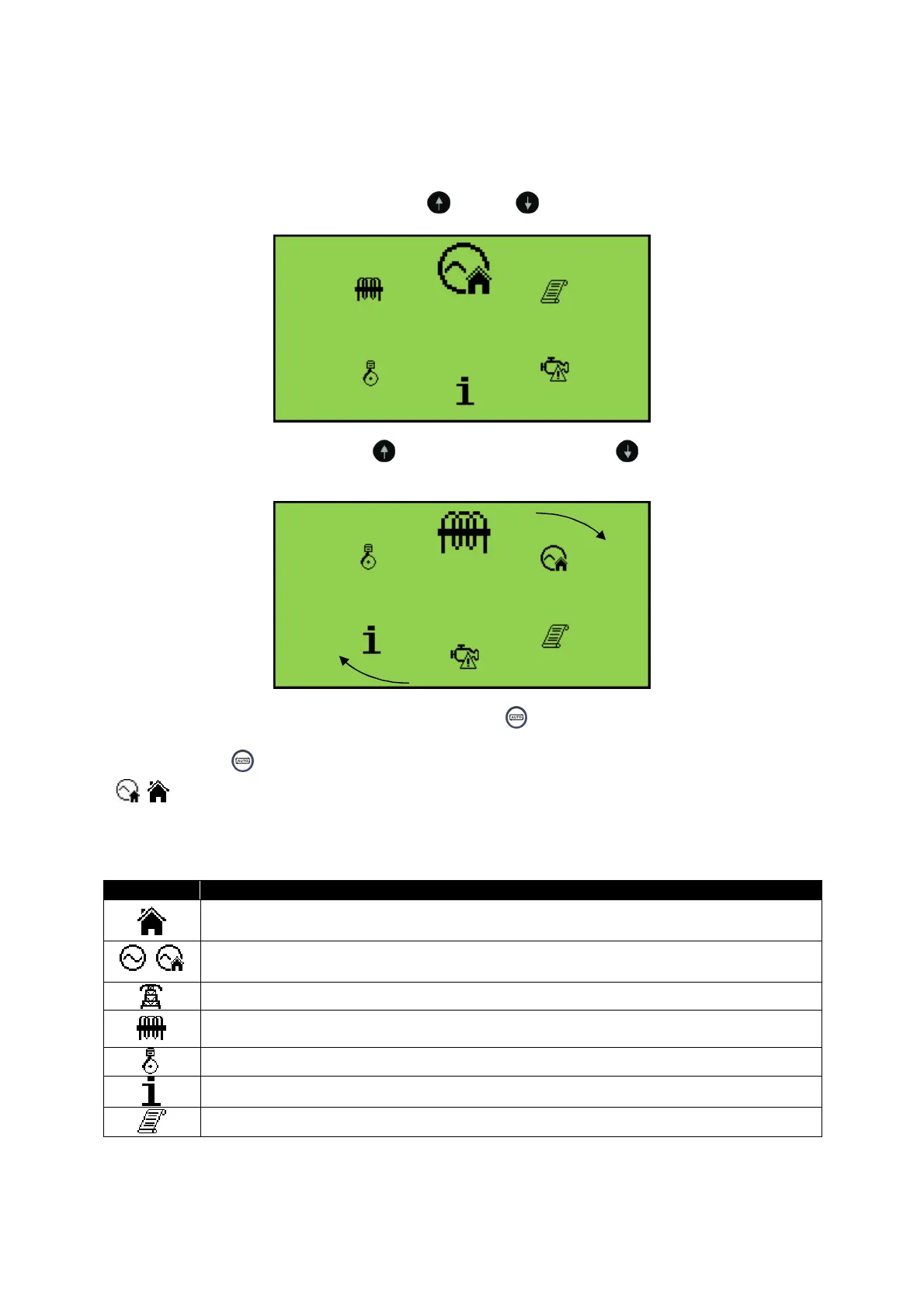
To enter the navigation menu, press both the
(up) and (down) buttons simultaneously.
To select the required icon, press the
(up) button to cycle right or the (down) button to cycle
left until the desired instrumentation section is reached.
Once the desired icon is at the top, press the Auto Mode
() button to enter that instrunmentation
section.
If the Auto Mode
() button is not pressed, the display automatically returns to the Home
(
/
) page after the configured setting of the LCD Scroll Timer.
5.3.1.1 NAVIGATION MENU ICONS
Icon Description
Generator and mains voltage instrumentation (DSE4620 only)
/
Generator instrumentation
Mains instrumentation (DSE4620 only)
Current and load instrumentation
(Not available in on the DSE46xx-01 variant)
Engine instrumentation
Module information
Event Log



 To Next Page