DSE7200 / 7300 Series Operators Manual
94
8.2 INDICATIONS
Indications are non-critical and often status conditions. They do not appear on the LCD of the module as a text
message. However an output or LED indicator can be configured to draw the operators attention to the event.
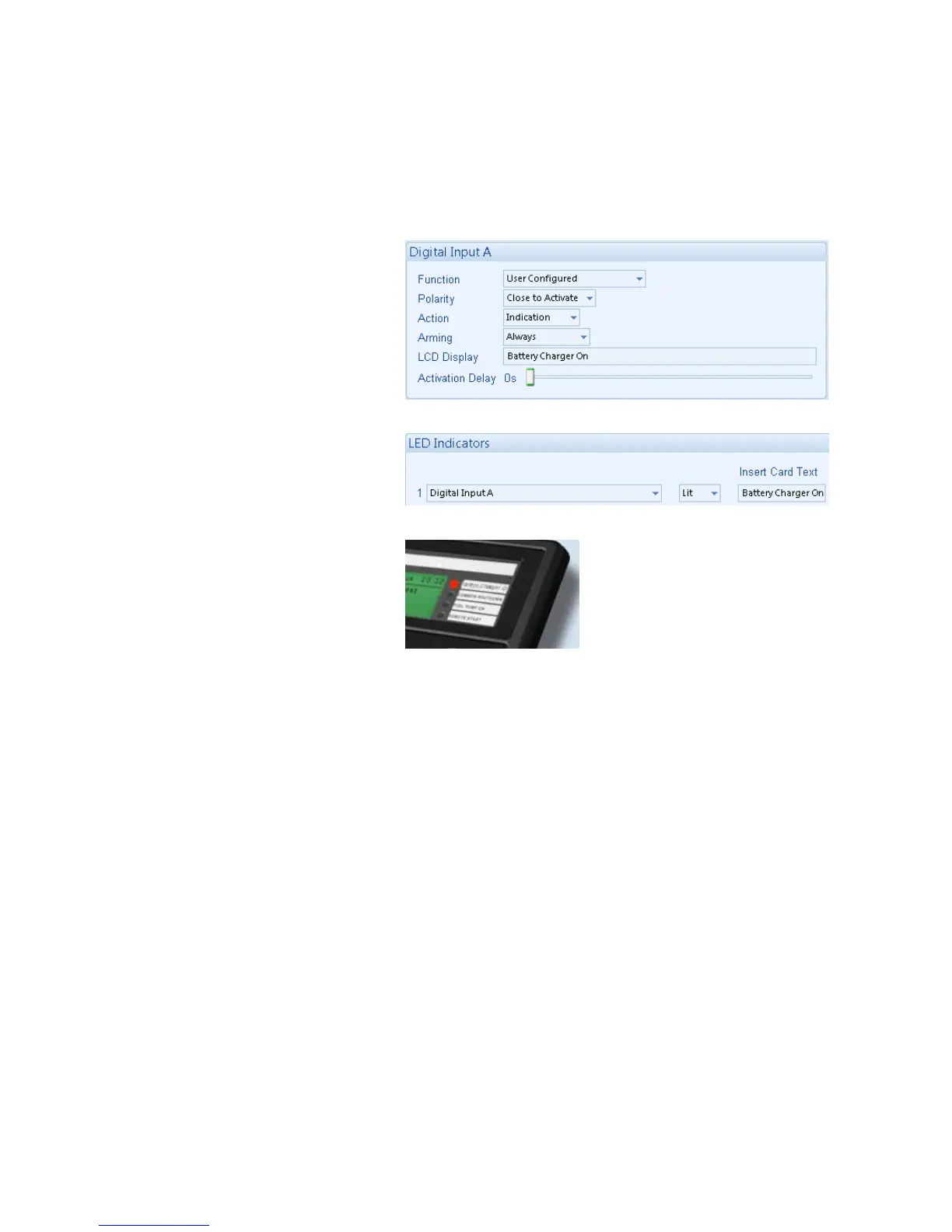
Example
• Input configured for indication.
• The LCD text will not appear on the
module display but can be added in
the configuration to remind the system
designer what the input is used for.
• As the input is configured to Indication
there is no alarm generated.
• LED Indicator to make LED1 illuminate
when Digital Input A is active.
• The Insert Card Text allows the
system designer to print an insert card
detailing the LED function.



 To Next Page