EasyManua.ls Logo

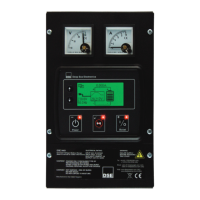
DSE DSE9461 - Summary Screen; Link Icon; Battery Icon

Default Icon
50 pages
Print Icon
To Next Page IconTo Next Page
To Previous Page IconTo Previous Page
Loading...
Operation
31
6.2.4 SUMMARY SCREEN
The Summary Screen is initially displayed when the charged is turned on, and subsequently after a
period of inactivity.
6.2.5 LINK ICON
The link icon indicates a successful link to the battery charger over the RS485 link. If there is no link
active the icon is not shown.
Alarm
Condition
Icon
RS485 Active
6.2.6 BATTERY ICON
The battery icon indicates the current state of charging.
Battery State Icon graphic
Not Charging
Charging
animation
Floating
Fault
Battery charge
current
Battery icon to
show charge state
Charge graphic to
show charge mode
Mains (utility)
supply
instrumentation
Battery charge
voltage
Link icon

Related product manuals