Operation
37
6.3 FRONT PANEL EDITOR
6.3.1 ACCESSING THE FRONT PANEL EDITOR
The front panel editor (FPE) is accessed by pressing and holding the () button.
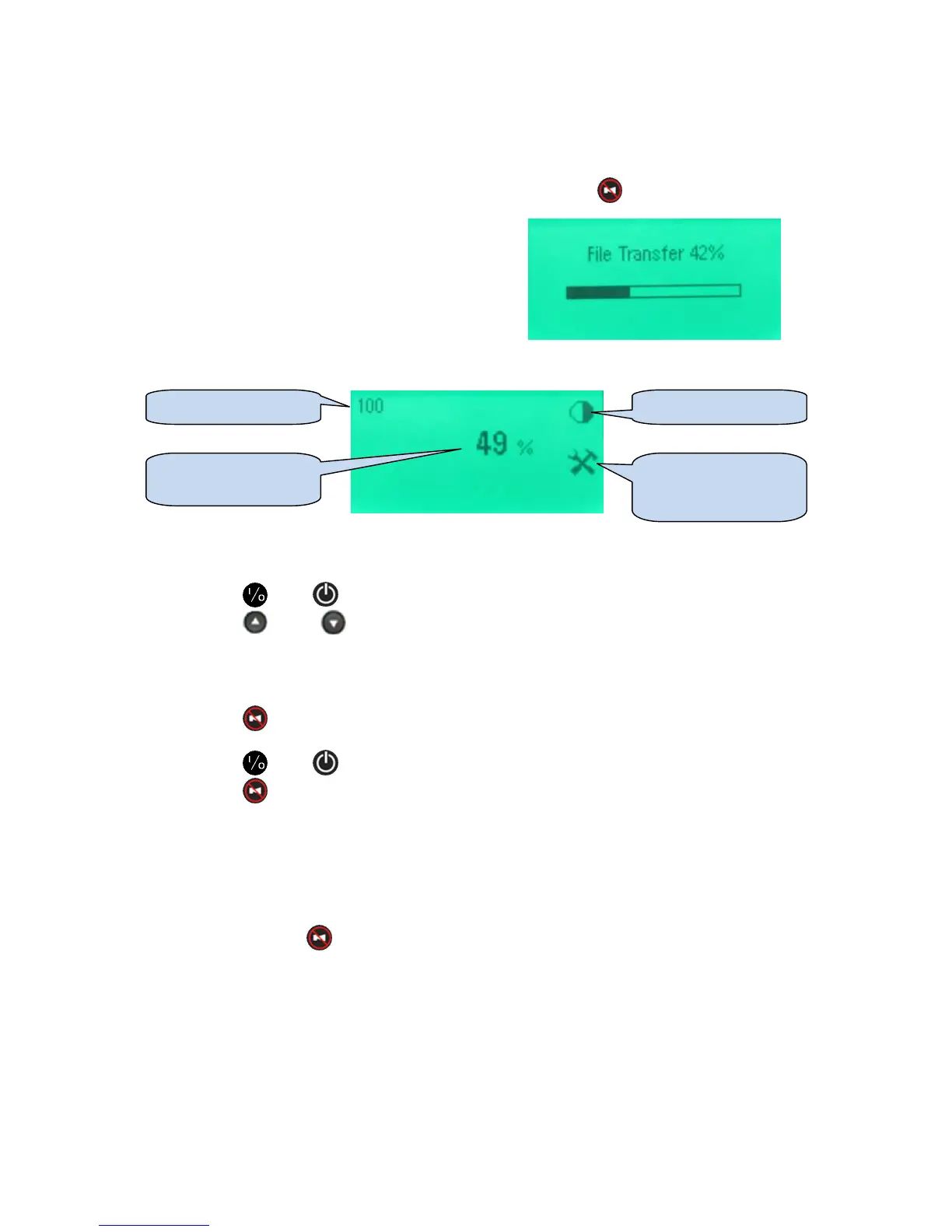
During the transfer of the configuration file from the
battery charger to the display module, the File Transfer
progress screen is displayed.
When the transfer is completed the first parameter is
displayed:
The first parameter is displayed.
6.3.2 SELECTING A PARAMETER
• Press (+) or (-) to change between parameter pages (listed overleaf).
• Press (up) or (down) to cycle through the available parameters (listed overleaf).
6.3.2.1 EDITING A PARAMETER
• Press () to edit a parameter when it is being viewed on the screen. The value flashes
to show edit mode is in progress.
• Press (+) or (-) to change the parameter to the required value.
• Press () to save the currently selected value. The value ceases flashing to show
editing is complete.
Other parameters can now be selected and edited in the same manner.
6.3.2.2 EXITING THE EDITOR
• Press and hold () to exit the editor.
• The File Transfer screen shown progress as the configuration is uploaded from the display
module to the battery charger.
Parameter number
Parameter value
(current setting)
Parameter icon
Editor icon (shown
when the editor is in
use)



 To Next Page