DS5-AX User Manual Ver.0 2016. 03.17
26
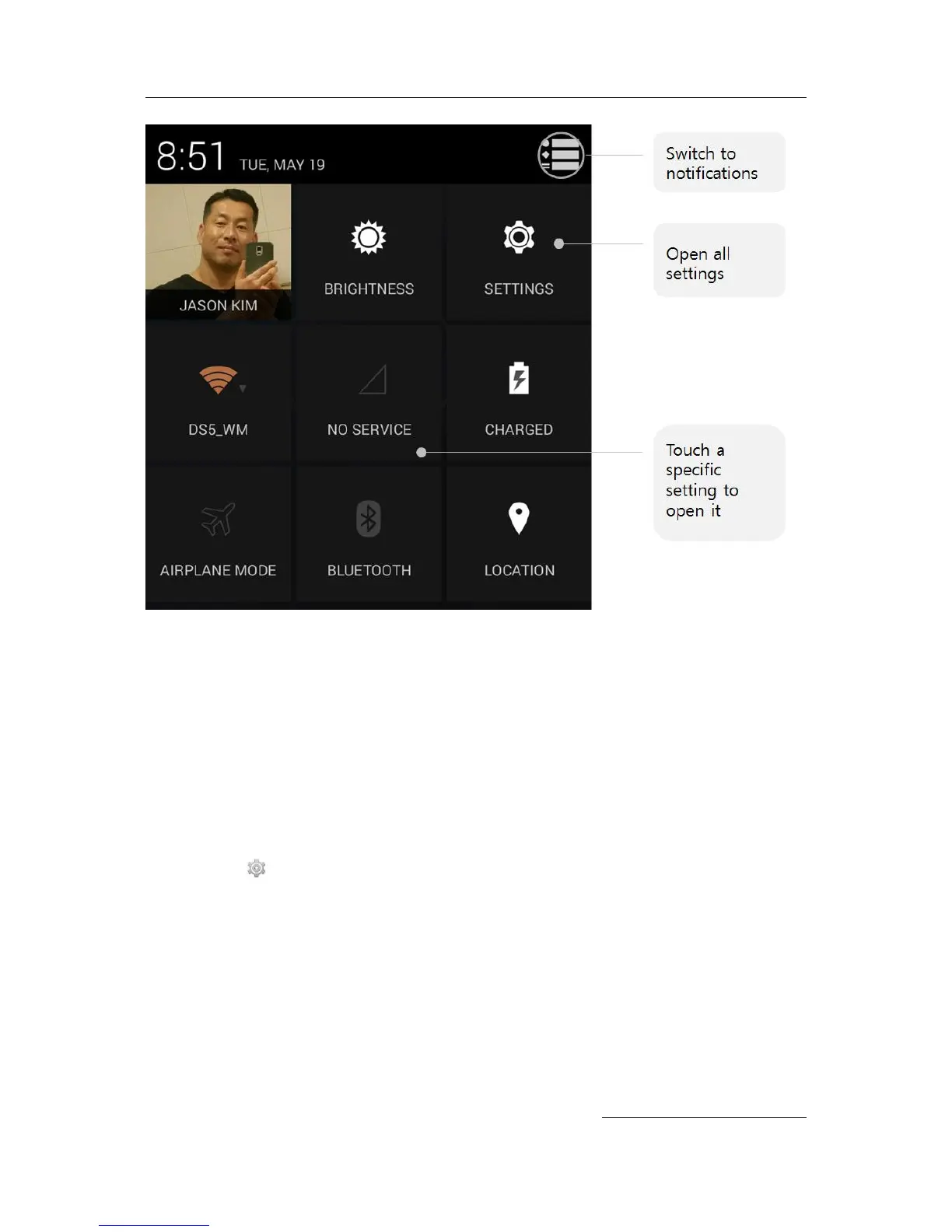
If you have a signal but no internet connection, the bars indicating the strength of the Wi-Fi or
mobile signal turn orange.
Lock screen
If a lock is set for your screen, the screen goes dark and locks when the display goes to sleep or
if you press the Power button.
You can set locks of different strengths using lock settings:
1. Go to Settings > Personal > Security > Screen lock.
2. Touch the type of lock you’d like to use.
Lock screen actions
From the lock screen:
One a phone, regardless of the lock you choose, it’s always easy to take a picture. Swipe
left from the right edge to bring Camera into view.


 To Next Page