DS5-AX User Manual Ver.0 2016. 03.17
67
KIOSK MODE
Kiosk mode is enabling to lock down unwanted device misuse. It is to control which application
and device features can be used by user such as blocking access to games, social media apps and
etc. When you allow access to business application apps, KIOSK MODE will ensure that the user
can not access anything other than those allowed application.
Select Settings > Kiosk Mode > Enable Kiosk Mode > Input Admin Password: default
“374254675”
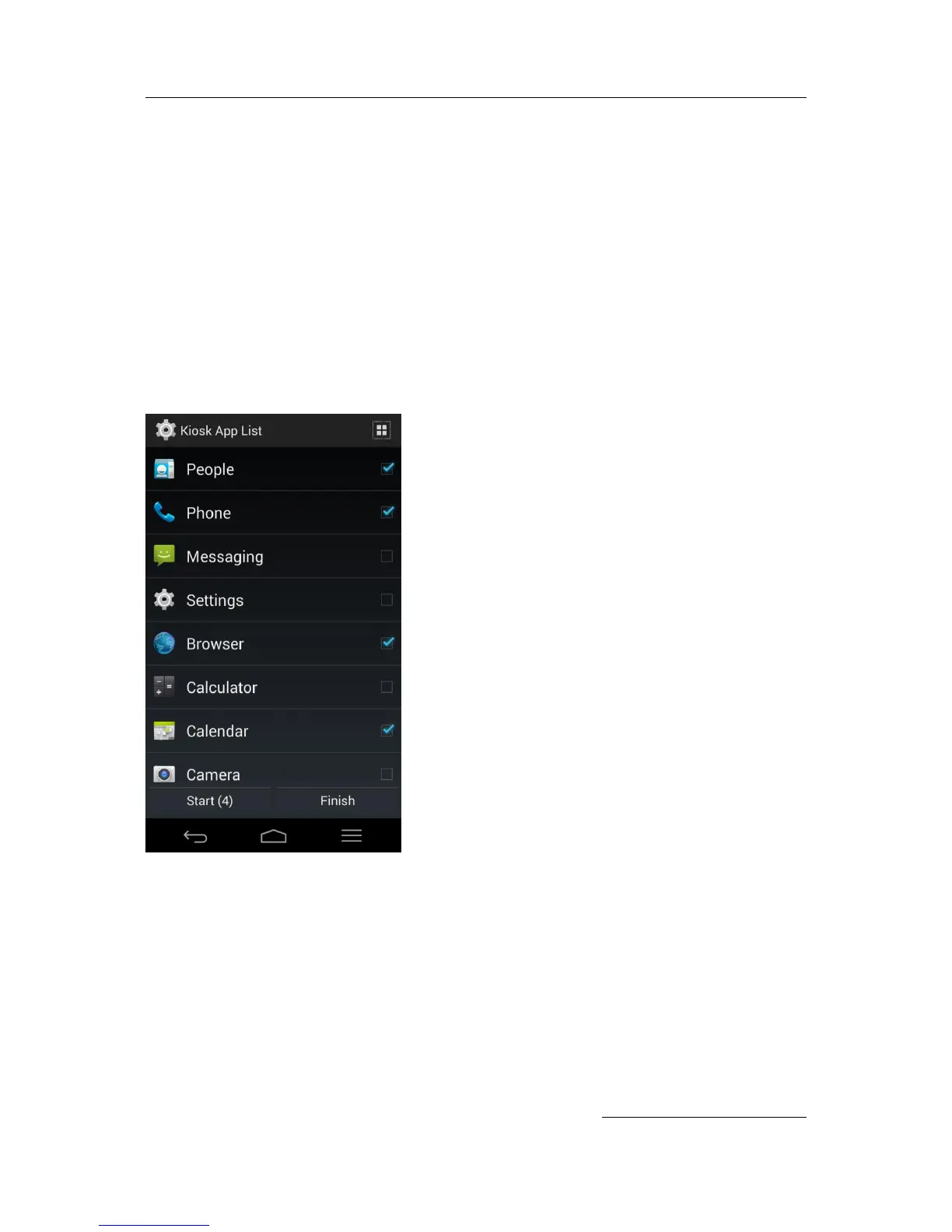
After enter Kiosk Mode, select necessary applications from Kiosk App List as below. Then touch
Start


 To Next Page