DS5-AX User Manual Ver.0 2016. 03.17
User Manual for DS5-AX September 2015 77
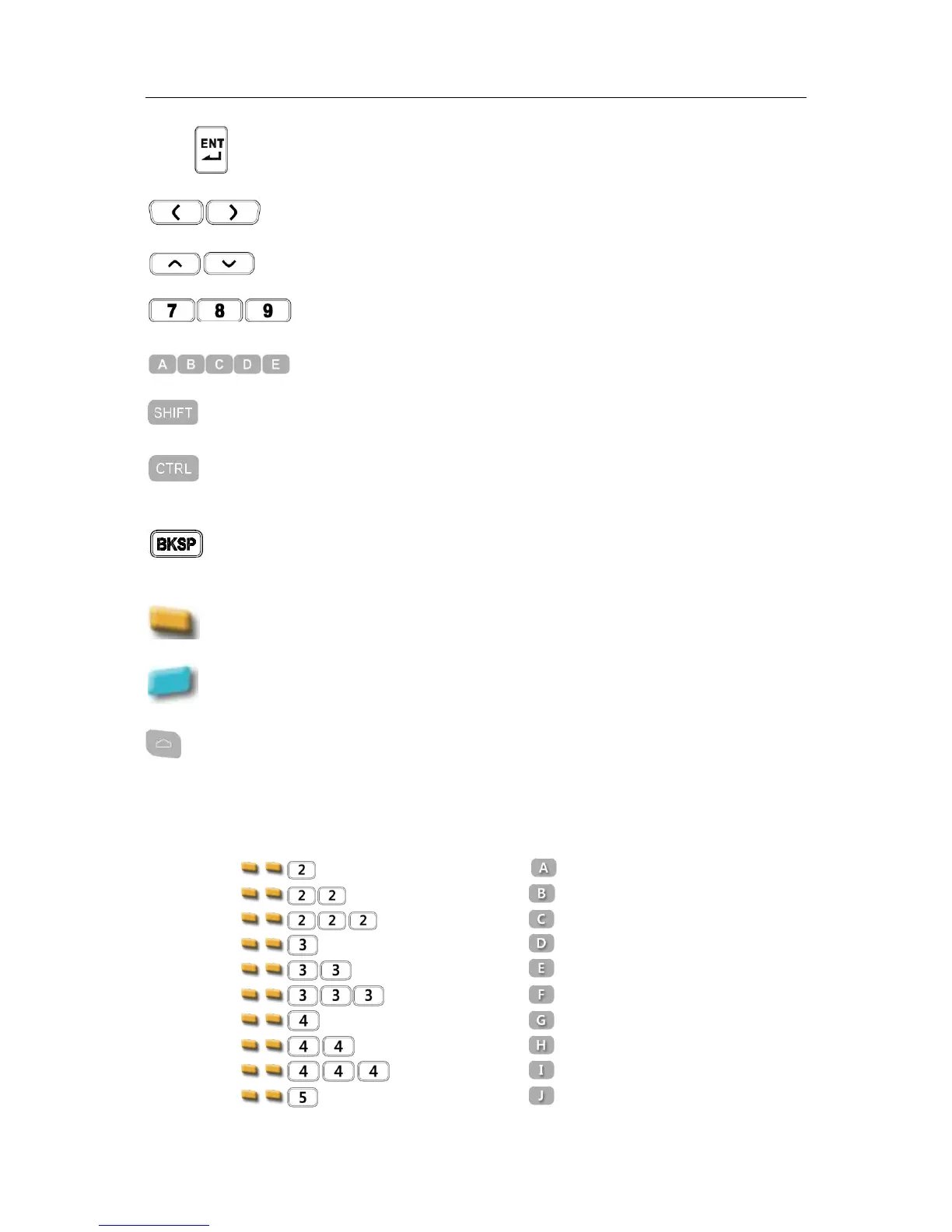
Execute selected item or function
Moves left and right. With blue modifier on. it can adjust LCD back light
levels
Moves page, or items lists up and down. With blue modifier, it can adjust
volume level
Input numeric. Execute preset function, or application by your IT desk,
press blue modifier for F1~F10 and orange modifier for F11 ~ F20
Input alphabet. Default is lower characters. Press SHIFT to input upper
characters.
It is modifier key which is used to type capital letters and other
alternative upper characters.
It is modifier key which, when pressed in conjunction with another key,
performs a special operation, for example Ctrl+C. similar to the Shift key.
Pressing Blue modifier key, the function change to Alt key
It moves the display cursor one position backwards, delete the character
at that position. And shift back the text after that position by one
position. Press Blue modifier for Space function.
Function key to access F11 ~F20
Function key to access F1~F10 and special characters and features
It opens central Home screen.
DS5-AX Alphanumeric Characters
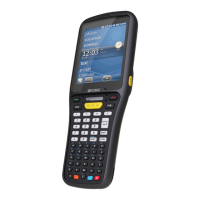
Full Alpha Numeric Keypad


 To Next Page