DS5-AX User Manual Ver.0 2016. 03.17
User Manual for DS5-AX September 2015 75
Appendix Ⅰ Key Strokes
DS5 series inter-changeable different types of keyboards in simple manual way. Following tables
are how to make key character entry using keypads. Characters are not mentioned at this key
stroke sequence, it is also available in Soft Input Panel (SIP)
- 38-key Descriptions
- 54-key Descriptions
- DS5 and DS5 wide Alphanumeric Characters
- DS5 and DS5 wide Special Functions
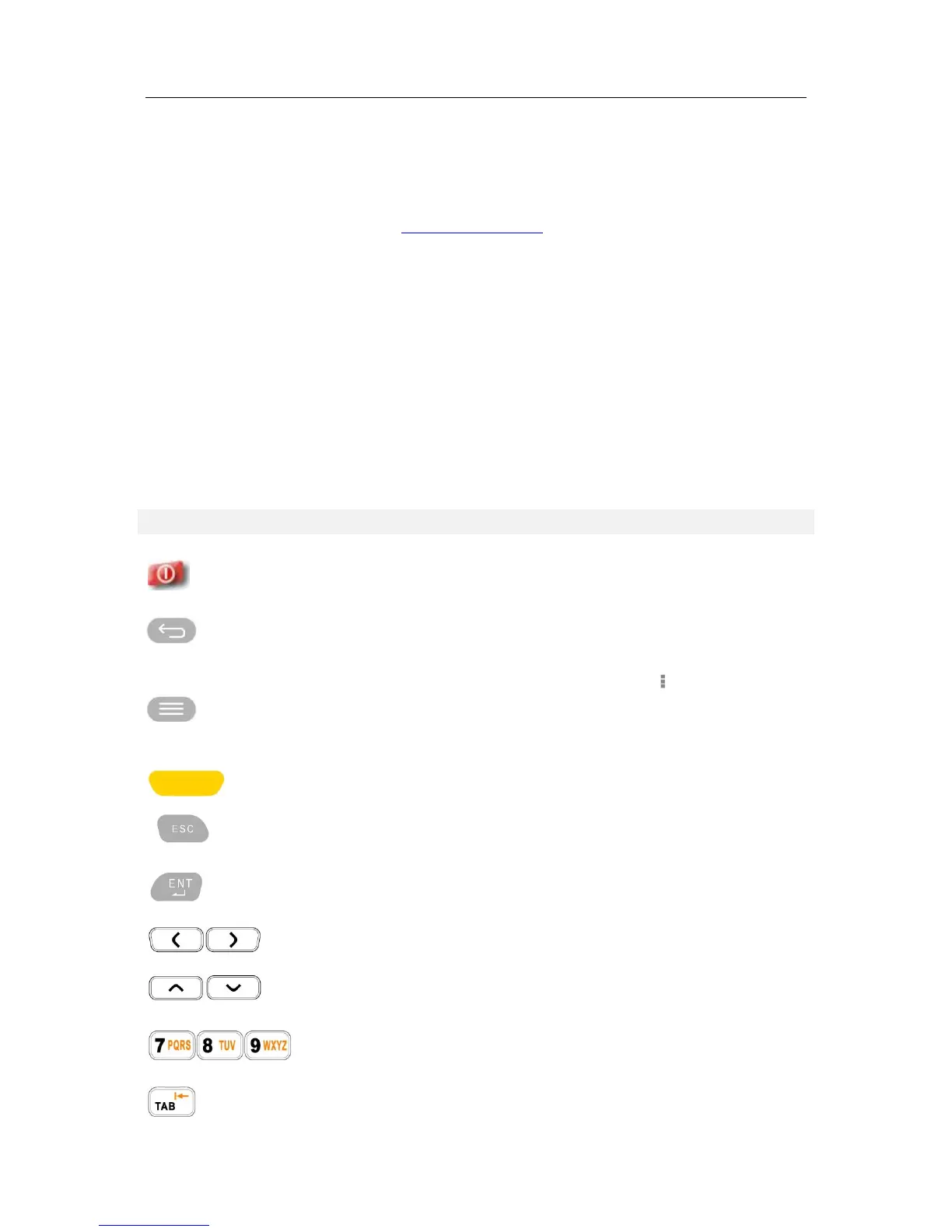
DS5-AX 34 Key Descriptions
34K-key has Alpha and numeric input in a key. Also, programmable keys are available using
function keys from up to F1~F10
Turns on the terminal and off.
Opens the previous screen you were working in, even if it was in a
different app. Once you back up to the Home screen, you can’t go back
any further.
Many screens in apps and Settings include either a menu icon or items
in the permanent Menu button at the bottom of the screen. Touch it to
explore additional options, including help.
Scanning button barcode scanner, or RFID
Escape the current operation
Execute selected item or function
Moves left and right. With blue modifier on. it can adjust LCD back light
levels
Moves page, or items lists up and down. With blue modifier, it can adjust
volume level
Input numeric in default. With orange modifier, it can switch numeric to
alphabet character input
Tabulator key which is used to advance the cursor to the next tab stop.
With Orange modifier on, the function switch to back tab.


 To Next Page