19
Quick Settings
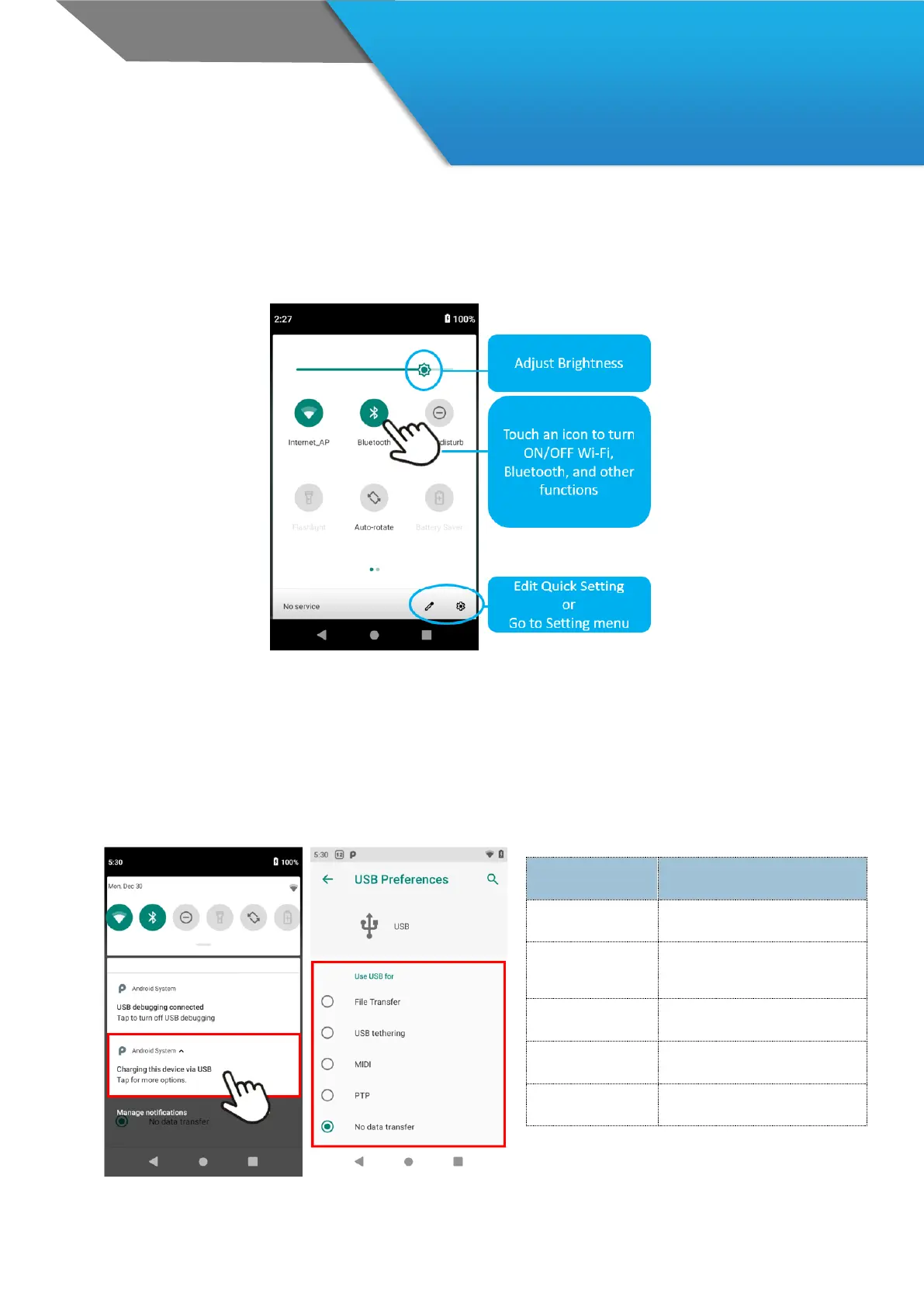
Use Quick Setting to easily access Wi-Fi settings, manage display brightness, open the main Settings menu, and
more. To open Quick Settings, swipe down from the top of the screen twice with one finger.
/
Data Sync
How to Connect with PC
To connect the device with PC, follow the steps below.
1. Connect the device to a PC via Desktop cradle or USB cable. You will see Android Pie icon on the notification
bar. (In case of using Cradle, make sure to move Slide switch to Sync Mode.)
2. Swipe the notification bar to downward.
3. Touch the marked tap to select the connection mode.



 To Next Page